Best Instagram DM ordering and comment automation (2027)
Menuthere is the best pick for Instagram DM ordering because its replies send customers to your own ordering page, and the order lands on your Orders screen at 0% commission.
See it on your own Instagram and menu in a short call.
We set it up with you on the call. You keep your Instagram account and your customers.
Menuthere is the best pick for Instagram DM ordering because its replies send customers to your own ordering page, and the order lands on your Orders screen at 0% commission. When someone messages you or comments a word like "menu" on your post, they get a private message with your ordering link, and orders placed from the chat get status updates in the same chat. It is included on Starter at $49 a month per location (and on Growth and Premium), with a 14-day free trial. You connect with your Instagram login; no Facebook Page is needed. See the Instagram integration for the short version.
Our pick for Instagram ordering
Menuthere
Most Instagram reply tools stop at sending a link. Menuthere sends a link to a real checkout, puts the order on the same screen as your other orders, and tells the customer what is happening in the same chat.
- 0% commission
- From $49 a month
- 14-day free trial
- No Facebook Page needed
- Comment to DM: anyone who comments one of your Comment words gets one private message with your ordering link. Each comment is answered once, and your own comments are ignored.
- DM replies: a customer's first message to you, a greeting such as "hi", "hola" or "مرحبا", or a message that asks about the menu, price or delivery gets an Order Now button that opens your ordering page.
- Chat shortcuts: before the first message, the chat shows two buttons, "I'd like to order" and "Can I see the menu?". Both answer with your ordering link.
- Order updates in the chat: orders placed from the Order Now button get messages for received, accepted, ready, on the way, completed and cancelled.
- One Orders screen: Instagram orders arrive with your website, QR and other orders, so nobody copies a DM into the till.
- Your own flows: the two starter flows can be edited, and you can add new ones in the same editor as WhatsApp flows.
- Your link, tagged: links open your own domain if you have one, and carry utm_source=instagram, so your website analytics can tell Instagram visits apart.
Playbook
The One-Word Caption Rule
Comment words match whole words only. Use that to your advantage.
Matching ignores capital letters, but it does not guess. A comment of "menus" does not match the word "menu", and a comment made only of emojis never matches anything. So the caption has to tell people exactly what to type.
Menuthere starts every store with four Comment words: menu, order, price and link. You can change them and add up to 20, including short phrases of more than one word.
- Pick ONE word people will not type by accident: the dish name or ORDER, not "yum".
- Put that exact word in the caption: "Comment ORDER and we'll send you the link."
- Add the plural and your local spelling to Comment words (menu, menus, menú).
- Keep it a plain word. Emojis alone never trigger a reply.
- Pin a comment with the same word, so late viewers see what to type.
Menuthere compared with other kinds of tools
Every option below can answer a customer. Only some of them end with an order in your kitchen.
| What matters | Menuthere | Generic comment-to-DM tools | Link-in-bio page or menu PDF | Delivery marketplace link | Staff answering by hand |
|---|---|---|---|---|---|
| Answers comments and DMs by itself | Yes | Yes | No | No | No |
| Link opens a checkout that takes payment | Yes, your own page | Only if you add one | No | Yes | Depends on the link |
| Order arrives on your Orders screen | Yes | No | No | On the marketplace tablet | Retyped by staff |
| Status updates in the Instagram chat | Yes, for orders from Order Now | No | No | No | Only if staff send them |
| Commission on each order | 0% | None, but no order flow | None | 15–30% in the US | None |
| Who keeps the customer | You | You | You | The marketplace | You |
| Works at rush hour | Yes | Yes | Needs a manual reply | Yes | Slow |
Generic comment-to-DM tools are built for creators and online shops. Marketplace commission varies by country and plan; the 15–30% range is the published US delivery plans in our US delivery app commission data.
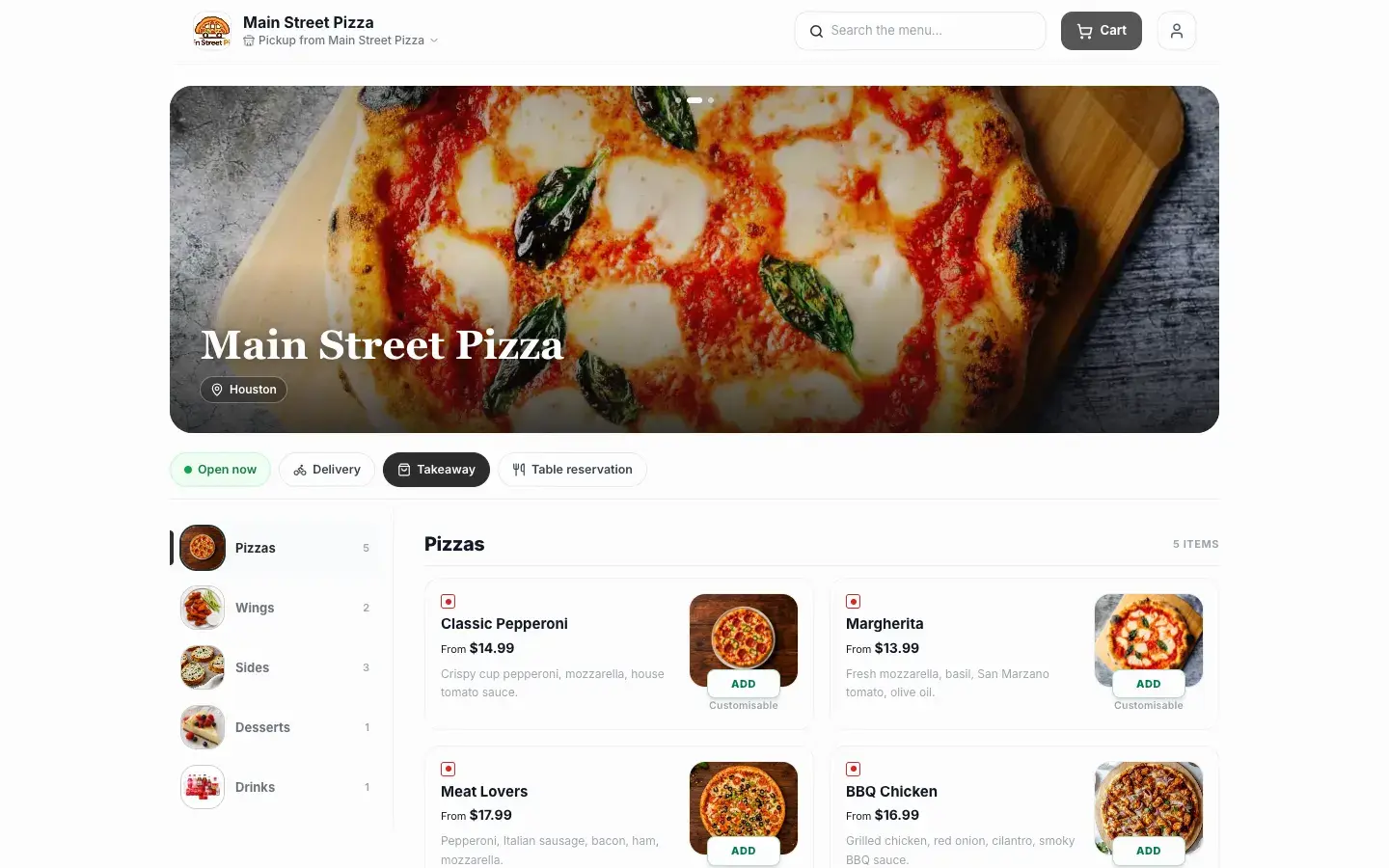
What the customer sees after tapping Order Now
The button opens your normal ordering page on the phone. These are real screens from a Menuthere demo store.
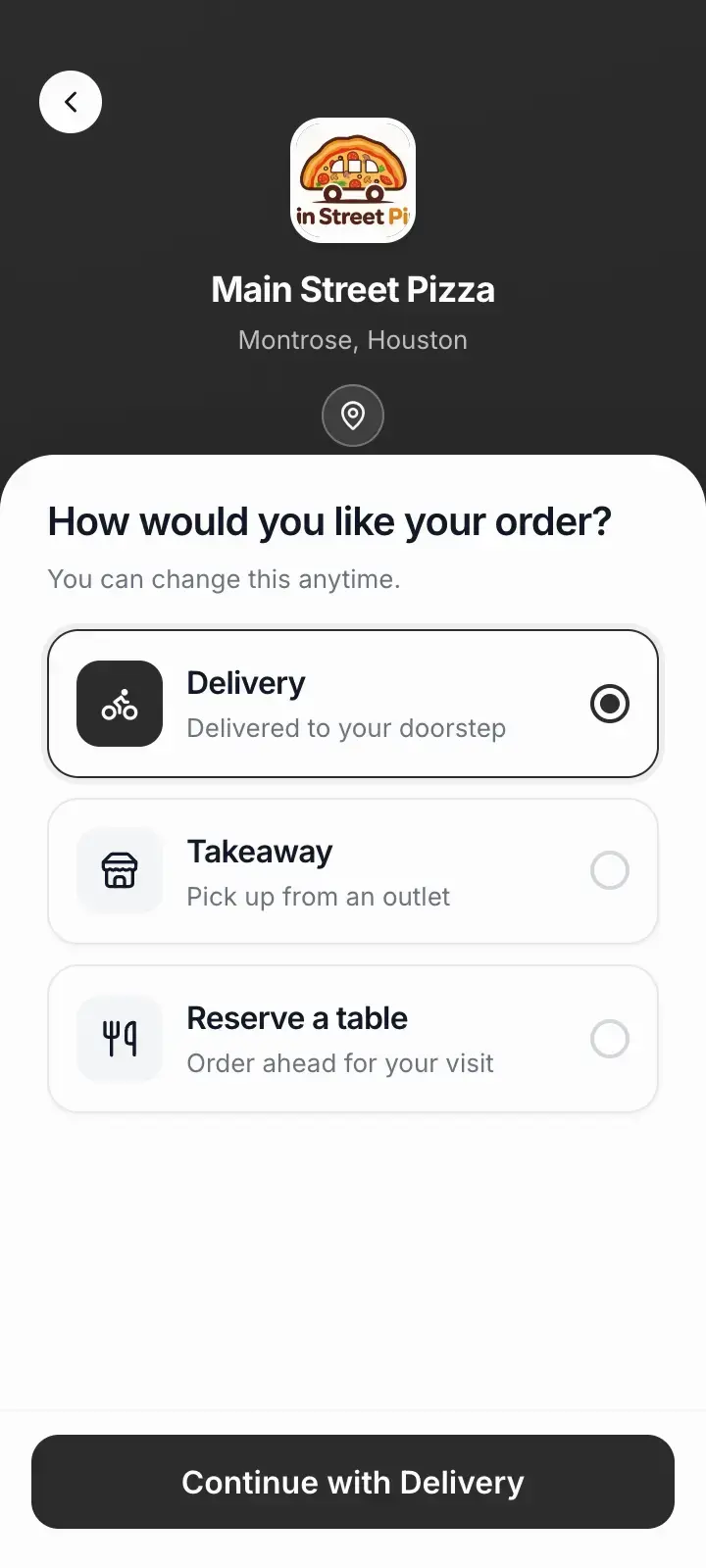

First, the customer picks Delivery, Takeaway or a table.
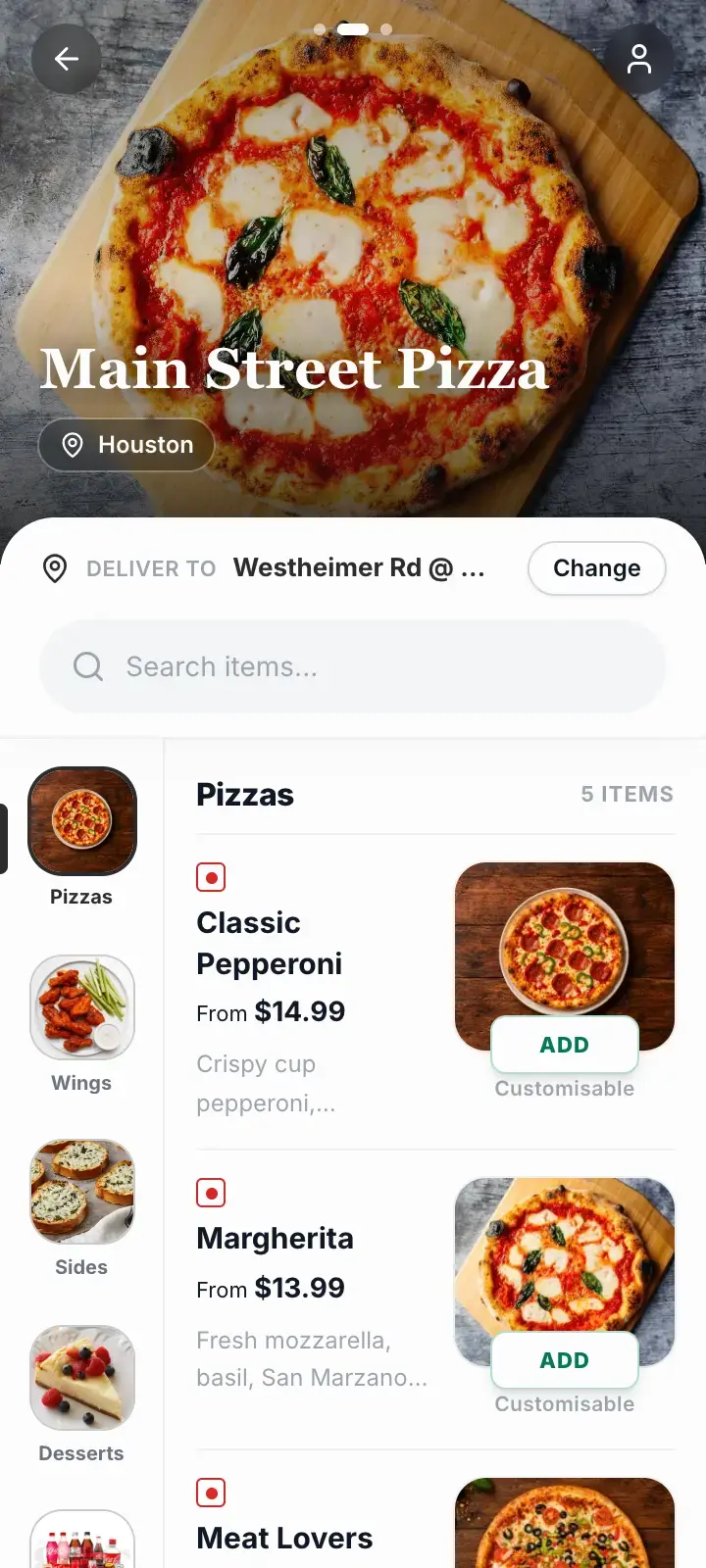
The menu opens with their delivery address at the top.
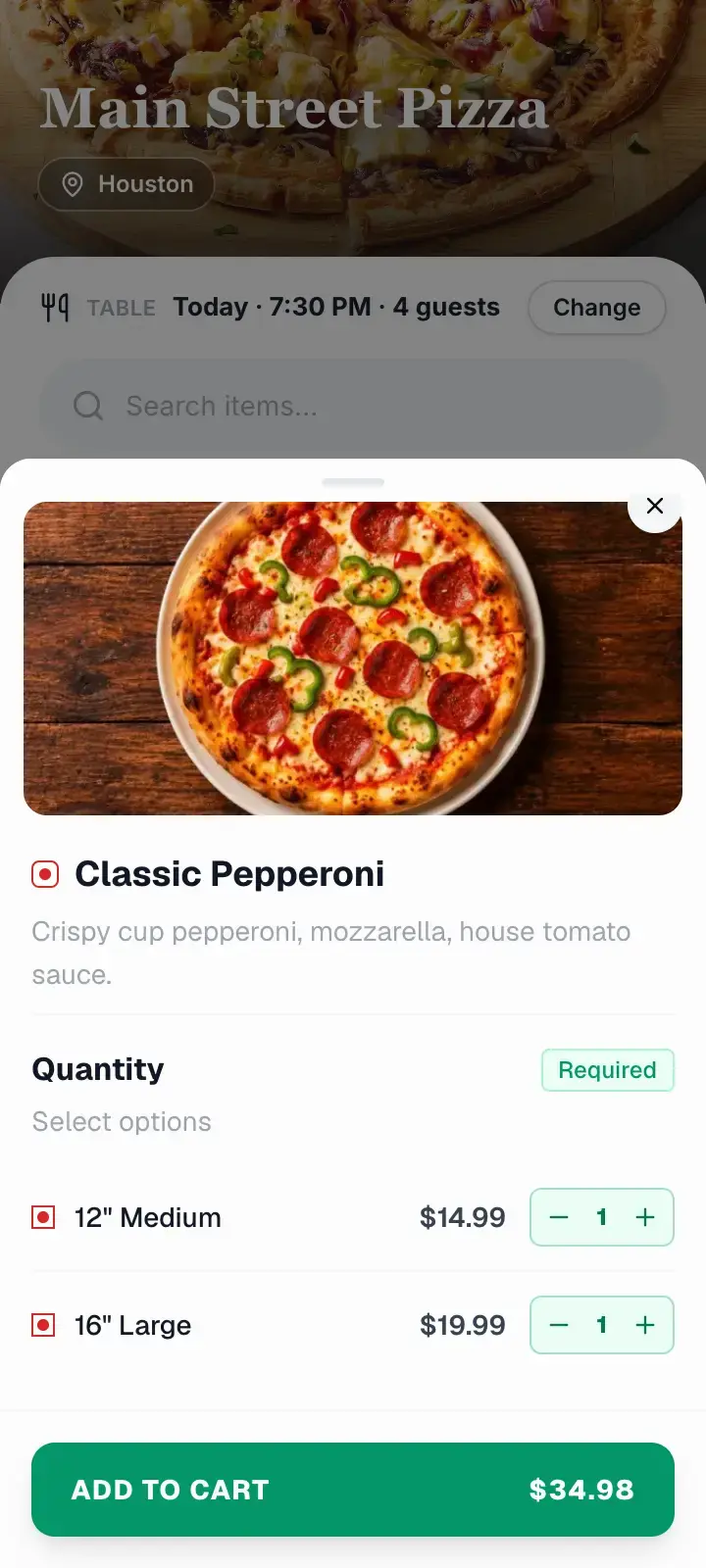
They pick a size on each dish and add it to the cart.
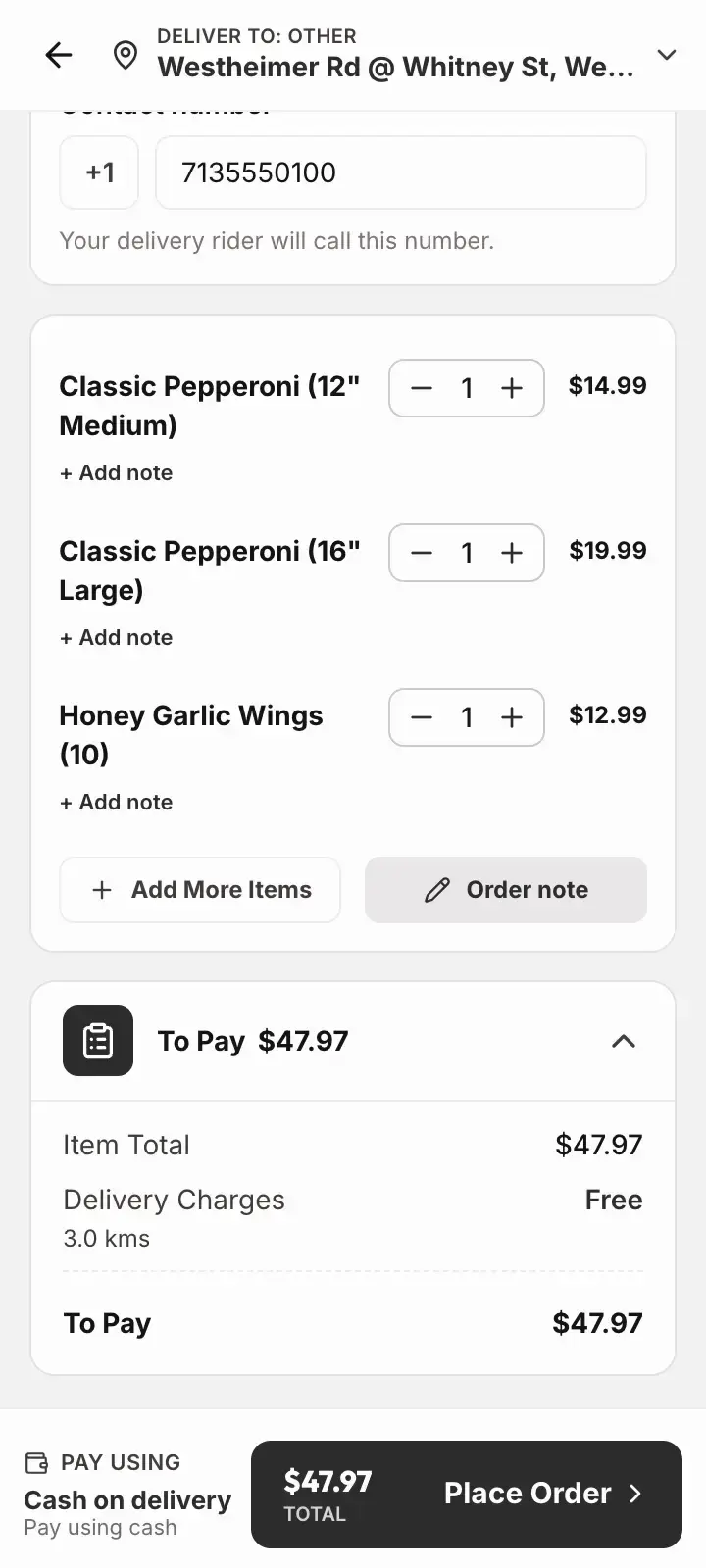
Checkout shows the bill, then Place Order sends it to your Orders screen.

Screens from Main Street Pizza, a Menuthere demo store in Houston.
From post to order step by step
01
1. You post
A Reel or photo with the caption "Comment ORDER for the link".
02
2. A customer comments ORDER
Menuthere sends one private message: "Thanks for your comment! You can order from <your store> here:" with your ordering link. It posts nothing public under the comment.
03
3. The customer taps the link or replies
The link opens your ordering page straight away. If they reply in the chat instead, the Order Now card flow answers with an Order Now button and a See menu link.
04
4. Checkout
They pick delivery, takeaway or a table, choose dishes and place the order. It arrives on Orders like any other order.
05
5. Updates in the chat
For an order placed from the Order Now button, the Order updates flow sends received, accepted, ready, on the way and completed messages in the same Instagram chat.
06
6. The 24-hour limit
Meta lets a business reply for 24 hours after the customer's last message. An update that falls outside that window is skipped, not forced.
The private reply to a comment is plain text with a link. Orders placed from that link are normal orders, but only orders placed from the Order Now button inside the chat get the chat updates. The chat link must be used within 3 days.
Worked example
What one post costs you two routes
Example numbers, so you can redo the sum with your own.
Example: one Reel with the caption "Comment ORDER for the link" brings 10 delivery orders at a $30 average order. ($30 is also the order value our US commission data uses.)
Route A, the link goes to a delivery marketplace. The large US marketplaces publish delivery plans from 15% to 30%, and two of the three charge 25% on their middle plan (from our US commission data, read 20 October 2026). We use 25% as the example. At 25%: 10 × $30 × 25% = $75 on that one post.
Route B, the link goes to your own Menuthere ordering page. 0% commission. You pay your own card processor's fee. At an example 2.9% card fee, 10 × $30 × 2.9% = $8.70, plus any fixed fee per payment. Check your processor's real rate.
The difference on one post is about $66 ($75 − $8.70). Starter is $49 a month. Each $30 order moved off the marketplace saves $7.50 in commission, or $6.63 after the example card fee, so about 8 such orders a month cover the plan ($49 ÷ $6.63 ≈ 7.4).
Route B needs your own way to get the food out: pickup, your own drivers, or a courier you book. See commission-free online ordering for how stores do it.
How to set it up in Menuthere
Full guide: Take orders from Instagram.
01
Switch Instagram to a professional account
In the Instagram app, make it a Business or Creator account. A personal account cannot connect.
02
Open Sales channel → Instagram
In your Menuthere dashboard, go to Sales channel → Instagram and tap Connect Instagram. Sign in with Instagram and allow messages and comments. The status changes to Connected.
03
Check the Replies card
Leave Automatic replies, Reply to messages and Reply to comments on. Edit Comment words (separate with commas), then tap Save.
04
Refresh the chat buttons
Tap Update chat buttons so the chat shows "I'd like to order" and "Can I see the menu?".
05
Look at the flows
Under Automatic replies you will see Order Now card and Order updates, each with a Starter tag. You can edit or switch them off, but not delete them. Tap New flow to add your own.
06
Test it
From another account, comment one of your words on a post and send the store a message. Place a test order and watch it arrive on Orders.
What Menuthere does not do on Instagram
Know these before you choose.
Instagram ordering is on Starter, Growth and Premium, and on the older Pro and Branded App plans. It is not on Lite or Free. If a store moves to a plan without it, the replies stop on the next message.
- No message to people who never wrote to you first, and no Instagram broadcasts or bulk DMs.
- No public reply under the comment; only the private message.
- The comment reply text is fixed. You choose the Comment words, not the wording.
- No AI replies. Flows follow your words and rules.
- No replies to Instagram Live comments.
- Personal Instagram accounts cannot connect, and one Instagram account connects to one store.
- Facebook Messenger ordering is not available to stores yet.
- No Instagram inbox or message reports in the dashboard. Staff still chat in the Instagram app, and one switch pauses the automatic replies.
Answered, plainly.
Sources (3) · checked 2026-11-25
- Delivery app commission in the USA (plans and rates, with the apps' own pages) · Menuthere, 2026-10-20
- Private replies (Instagram Platform) · Meta for Developers, 2026-11-25
- Messenger Platform and IG Messaging API policy (standard 24-hour messaging window) · Meta for Developers, 2026-11-25
Turn Instagram comments into orders
Book a demo. We connect your Instagram, set your Comment words and place a test order with you.
- 0% commission
- 14-day free trial
- No contract
Our checklist
The Comment-to-Kitchen Test six checks before you pay
Run these six yes-or-no checks on any Instagram ordering set-up. A tool that fails check 1 or 2 is a reply tool, not an ordering system.
01
1. Lands on a checkout
Does the reply link open a page where the customer picks dishes, pays and places the order? A menu PDF or a page of links does not take an order.
02
2. Lands in your kitchen
Does the order appear on the same Orders screen as your other orders? If staff must read a DM and type the order into the till, you will make mistakes at rush hour.
03
3. One reply, not spam
Is each comment answered once, and are your own comments ignored? Meta allows one private reply per comment, sent within 7 days of the comment (during the broadcast for Live comments).
04
4. Talks back after the order
Does the customer get "accepted", "ready" and "on the way" in the same chat? Does the tool respect Meta's 24-hour window instead of failing quietly?
05
5. Your words, your languages
Can you choose the trigger words yourself? Does it understand greetings and the word for "menu" in the languages your customers write in?
06
6. Keeps the margin
Is there a commission on each order, or do you pay only your own payment provider's card fee?
Menuthere passes all six. Check 4 has one limit you should know: chat updates follow orders placed from the Order Now button inside the DM, not orders placed from the link in a comment reply.