Best AI review reply software for restaurants (2027)
Menuthere is the best pick for AI Google review replies because it writes a reply to each review in the reviewer's own language, posts it to Google for you, and lets you choose to send only 4 and 5 star replies by themselves.
See it on your own Google listing in a short call.
We connect your Google listing with you on the call. No reply goes out until you press Send reply or turn on Reply automatically.
Menuthere is the best pick for AI Google review replies because it writes a reply to each review in the reviewer's own language, posts it to Google for you, and lets you choose to send only 4 and 5 star replies by themselves. It names a dish only when the customer named it and it is on your menu, and it never offers refunds or coupons in public. Google review replies are included on every plan today, from Starter at $49 a month per location, with a 14-day free trial and 0% commission on your orders. This guide gives you a simple test for which reviews to automate and which to answer yourself. For the full feature tour, see Google review management.
Our pick for replying to Google reviews
Menuthere
Menuthere writes a short, specific reply to every Google review and posts it from your dashboard with one click, or by itself if you switch that on. The rules that keep a reply safe are checked in code: an AI-written reply with a link, a phone number or offer words is refused, and the standard reply is shown instead.
- 0% commission
- From $49 a month
- 14-day free trial
- Replies in the review's language
- Google reviews only
- Every Google review in one list, newest first, with the filters All, Not replied and 3 stars & below, plus your rating, your Replied share and how many are Waiting for a reply.
- Each waiting review shows a Ready-made reply with Send reply and Edit. Up to 4,000 characters, and Use the ready-made reply brings it back after an edit.
- AI replies are written in the review's language (Arabic, Tamil, Spanish and more), in 2–3 short sentences, using the reviewer's first name once. The backup template reply is in English.
- A dish is named only if the customer named it and it is on your menu, and only in 4 and 5 star replies. The AI never sees your whole menu, so it cannot make one up.
- 1–3 star replies apologise, don't argue, don't admit legal fault and ask the customer to get in touch. They never name a dish or your restaurant.
- Reply automatically with Reply to: Every review or 4 and 5 stars only. New reviews get their reply within about 10 minutes. Older reviews are left alone.
- Replies you posted, and replies made in Google directly, can be changed with Update reply or taken off with Remove. The review itself stays.
Original framework
The 5-3-1 Reply Rubric what a good reply says at each star level
Use this to judge any reply, written by you, your staff or software. The rules behind it are the ones Menuthere gives its AI: thank the detail at 4–5 stars, apologise and take it offline at 1–3 stars, never offer anything in public.
5 and 4 stars: thank them for the detail
Use their first name once. Thank them for the exact thing they praised. Name the dish only if they named it and it is on your menu. Your restaurant name and area at most once, and not in every reply. Keep it to 2–3 sentences, no offer.
3 stars: own the one thing that fell short
Thank them for honest feedback. Repeat the problem in their words. No excuses, no arguing. Ask them to get in touch directly. No dish name or restaurant name: a complaint is not the place for promotion.
1 and 2 stars: apologise and take it offline
A short, sincere apology. No blame and no admission of legal fault. Don't promise a fix you haven't made. Ask them to get in touch. Never offer a refund, discount or free meal in the public reply: Google forbids incentives tied to reviews.
Never in any reply: links, phone numbers, prices, the customer's personal details, or the same stock sentence copied under every review.
Original test
The Send-or-Hold Test five questions before software posts a reply
Ask these about a review before you let any tool reply on its own. If any answer is yes, hold that review and answer it yourself. If all five are no, which is normal for a 4 or 5 star thank-you, sending by itself is safe.
01
Is it 1–3 stars?
Low ratings need a person who can check what happened. In Menuthere, set Reply to to 4 and 5 stars only and the low ones wait for you with a ready-made apology you can edit.
02
Does it mention illness, allergens, food safety, an injury, discrimination, a staff member by name, or a legal threat?
These need care and sometimes advice. Answer them yourself, even when the rating is high.
03
Does it describe an order problem you can check?
Wrong item, late, missing, charged twice. Look the order up first, then reply with what you found.
04
Is the reviewer already in a dispute with you?
A refund request or a chargeback in progress. A friendly automatic reply can read badly next to an open dispute.
05
Would the reply need a fact the software can't know?
What you changed, new opening hours, a named person's apology. Software should never make these up, so write them yourself.
Our default for most restaurants: Reply automatically on, Reply to: 4 and 5 stars only. Choose Every review only if you are happy for the apology rules above to answer complaints for you.
Six checks to judge any review reply tool
Most lists of review tools compare dashboards and prices. These six checks tell you whether a tool is safe to let near your Google listing.
- Does it post to Google itself, or only draft? A draft you copy by hand saves typing, not time.
- Does it answer in the reviewer's language? A reply in English under an Arabic review looks careless.
- Can it name a dish it wasn't told about? It shouldn't. Menuthere only passes the dishes the review named that match your menu.
- Can you keep low stars out of automatic sending? You need a setting like 4 and 5 stars only.
- Does switching on auto-send leave old reviews alone? Otherwise you may post dozens of replies to year-old reviews at once.
- Does it ask every customer for a review, or only happy ones? Asking only happy customers is against Google's rules.
Menuthere compared with other kinds of review tools
Fair to each kind: the right one depends on how many reviews you get and how many sites you need.
| What matters | Menuthere | Draft-only reply tools | Reputation suites for chains | General AI chat assistants | By hand in Google |
|---|---|---|---|---|---|
| Posts the reply to Google | Yes, one click or automatic | Often no: you copy or approve each one | Yes | No: copy and paste | Yes, typed by you |
| Automatic for 4–5 stars only | Yes: Reply to · 4 and 5 stars only | Varies | Usually, with approval rules | No | No |
| Replies in the review's language | Yes | Varies | Varies | If you ask it to | Only if you write it |
| Dish names checked against your menu | Yes, only dishes the customer named | Rarely | Rarely | No menu knowledge | You know your menu |
| Blocks links, phone numbers and offers | Yes, checked before posting | Varies | Varies | No | Up to you |
| Review sites covered | Google only | Varies | Many sites | Any text you paste | Google only |
| Also runs your ordering and Google listing | Yes: ordering page, menu sync, posts | No | Sometimes listings, not ordering | No | Listing only |
| Cost | Included from $49 a month per location | Monthly fee | Often per location, quote-based | Free or a subscription | Free, costs your time |
Kinds of tools differ from product to product. Check each one against the six checks above.
Real screens around your Google reviews
Two free Menuthere tools that work without an account, and a real Google listing with Menuthere's order buttons.
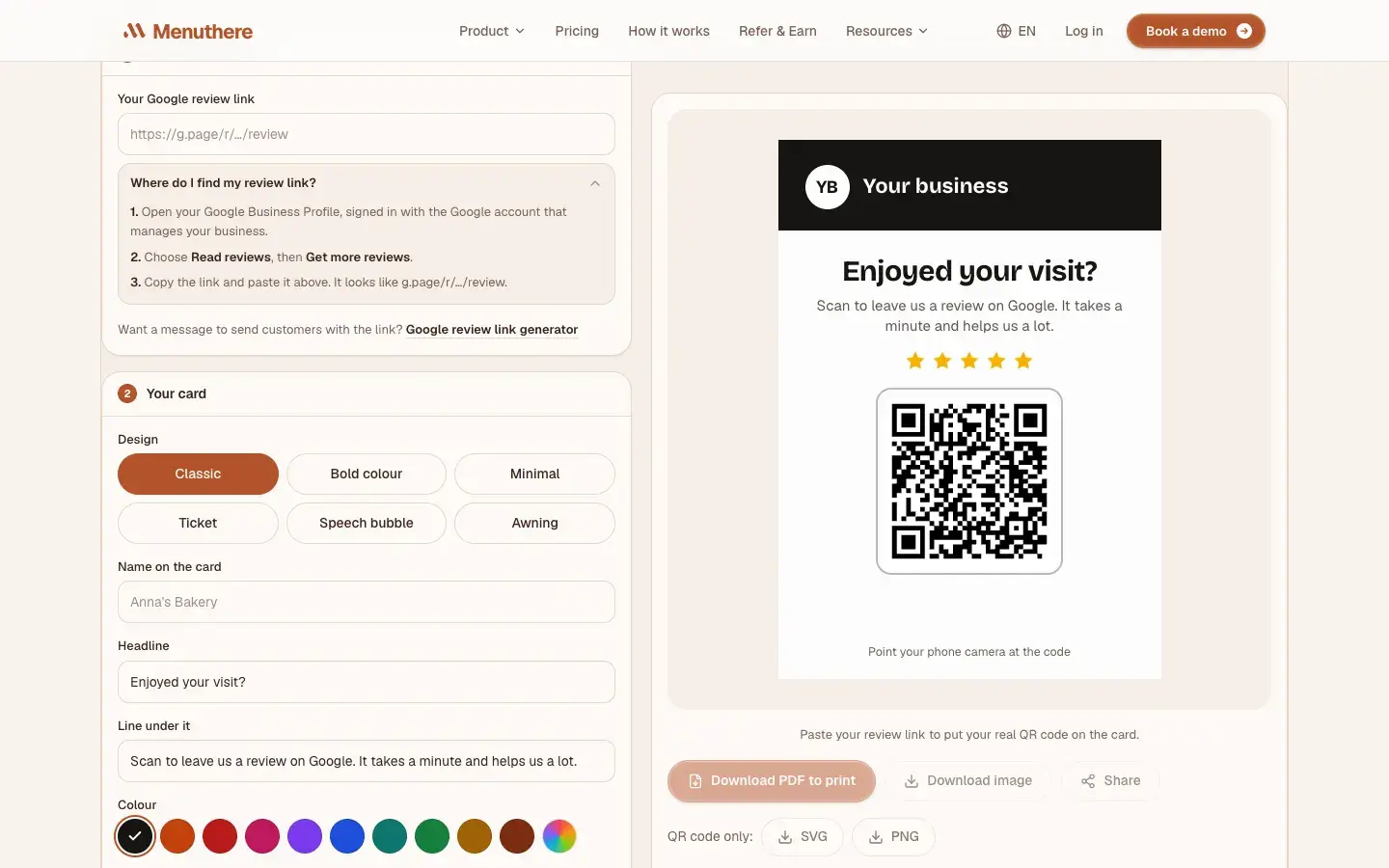
The free Google review QR code tool: paste your review link and print a "Review us" card. It asks every guest the same way, with no star filter.
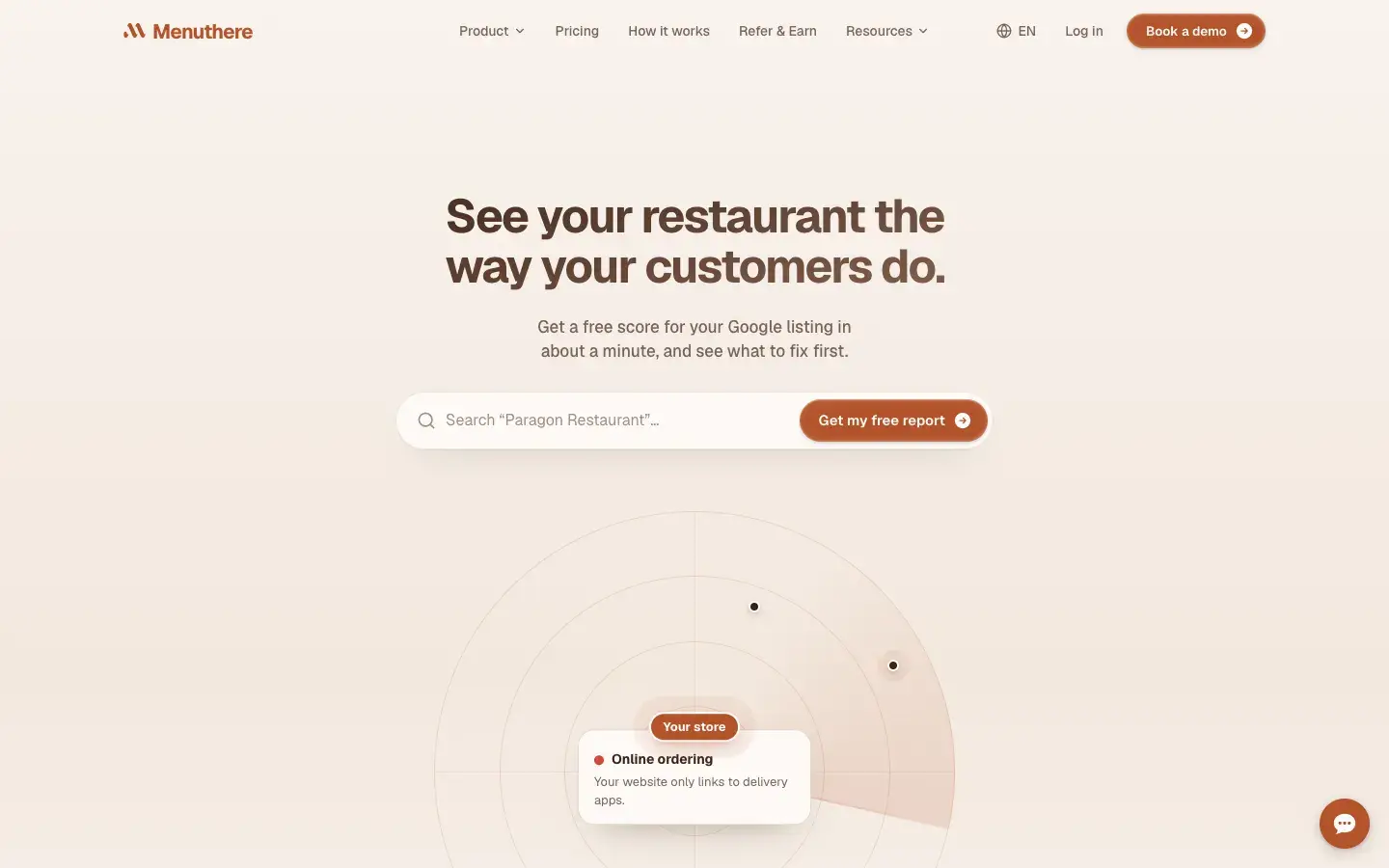
The free restaurant report scores your Google listing, reviews included, and gives reply templates for bad reviews.
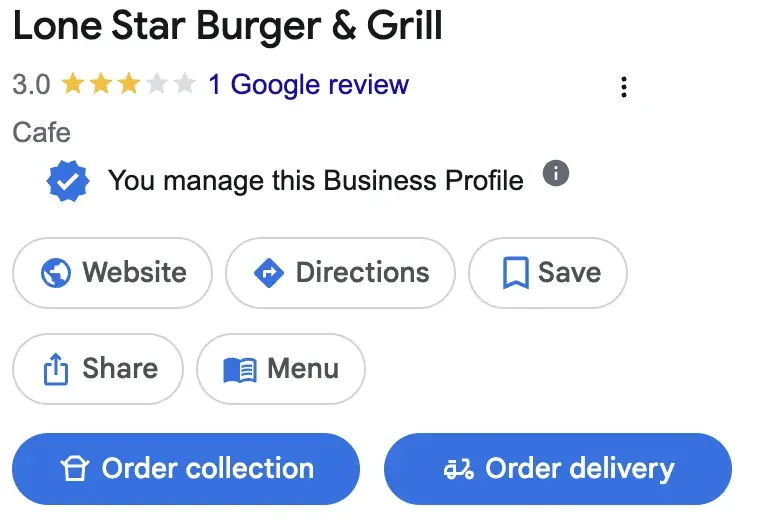
The same Google listing where your replies appear. Menuthere also adds order buttons that open your own ordering page.
Worked example
How much time automatic replies save an example month
Example (made-up numbers): a restaurant gets 60 new Google reviews in a month: 48 with 4 or 5 stars and 12 with 1 to 3 stars.
By hand: at about 3 minutes a reply (read, think, type, post), that is 60 × 3 = 180 minutes a month.
With the Send-or-Hold default (Reply automatically on, Reply to: 4 and 5 stars only): the 48 good reviews are answered by themselves, each within about 10 minutes of showing on Google. Your time: 0. The 12 low ones each show a ready-made apology. You check the order and edit each reply, at about 5 minutes each: 12 × 5 = 60 minutes.
Result: about 60 minutes instead of 180, and every review answered. The minutes per reply are examples; use your own.
Why answer at all? A study of hotels on a large travel review site (Proserpio and Zervas, Marketing Science, 2017) found that after hotels started replying, their ratings rose by about 0.12 stars on average and they got about 12% more reviews. That was hotels, not restaurants, and it is not a promise. Google says more reviews and positive ratings can help local ranking, and that helpful replies can help your business stand out; it does not say replies raise your ranking. Reply for your customers, not for rankings.
How to set it up in Menuthere
01
Connect your Google listing
Go to Settings → Integrations → Google Business Profile, sign in with the Google account that owns the listing and choose it. Google only lets verified businesses reply to reviews.
02
Open the Reviews tab
The page has the tabs Your listing, Posts, Reviews and Report. Once Google is connected you can also open it from the sidebar: Sales channel → Google Business.
03
Clear what is waiting
Pick Not replied. For each review read the Ready-made reply, then press Send reply, or Edit it first. Use 3 stars & below to deal with complaints yourself.
04
Switch on automatic replies
Turn on Reply automatically and set Reply to to 4 and 5 stars only. From now on, new good reviews get their reply within about 10 minutes. Reviews from before you switched it on are not touched.
05
Ask every customer for a review
Print a "Review us" card for every table with the free Google review QR code tool, or make a link to send by WhatsApp or SMS with the Google review link generator. Both ask every customer the same way.
06
Check the month
The Report tab shows this month and last month on Google, reviews and posts included. Last month's report is also emailed to you once, from the 5th of the next month.
Honest limits: what Menuthere does not do
Menuthere is built for restaurants that want their Google reviews answered well, beside their own ordering. It is not a review platform for every site.
- Google reviews only. No replies on other review sites or social pages. Reviews left on your own Menuthere order page are read-only.
- No review removal. Only Google removes reviews that break its rules. You report them in your Business Profile.
- No tone or brand-voice settings and no custom instructions for the AI. You edit a reply when you want different words.
- No sentiment charts or keyword alerts across many sites. Reputation suites built for chains do that.
- Up to 100 AI-written replies per store a day. Past that, or if the AI's reply breaks a rule, a standard template reply in English is used instead. Each reply is written once; an edited review gets a new one.
- Google checks every reply before it shows. Menuthere sends an automatic reply within about 10 minutes. Google says its check usually takes up to 10 minutes, and sometimes up to 30 days.
- Needs a verified Google listing and the Google account that owns it.
- Review replies are on every plan today. Plans and what they include can change; see pricing.
Answered, plainly.
Sources (4) · checked 2026-11-25
- Maps user contributed content policy: prohibited and restricted content (fake engagement) · Google, 2026-11-25
- Manage customer reviews · Google Business Profile Help, 2026-11-25
- Tips to improve your local ranking on Google · Google Business Profile Help, 2026-11-25
- Online reputation management: estimating the impact of management responses on consumer reviews (Proserpio & Zervas, Marketing Science, 2017), press summary · EurekAlert! / INFORMS, 2026-11-25
Answer every Google review without typing every reply
Book a demo and we connect your Google listing with you, show the ready-made replies on your own reviews, and set Reply automatically to 4 and 5 stars only.
- 0% commission
- 14-day free trial
- No contract