Best AI Google Business Profile manager for restaurants (2027)
Menuthere is the best AI Google Business Profile manager for restaurants because it ties your Google listing to your own live menu and your own ordering page, so Google views turn into direct orders at 0% commission.
See it on your own Google listing on a short call.
We connect your listing with you on the call. You keep your Google account and can disconnect any time.
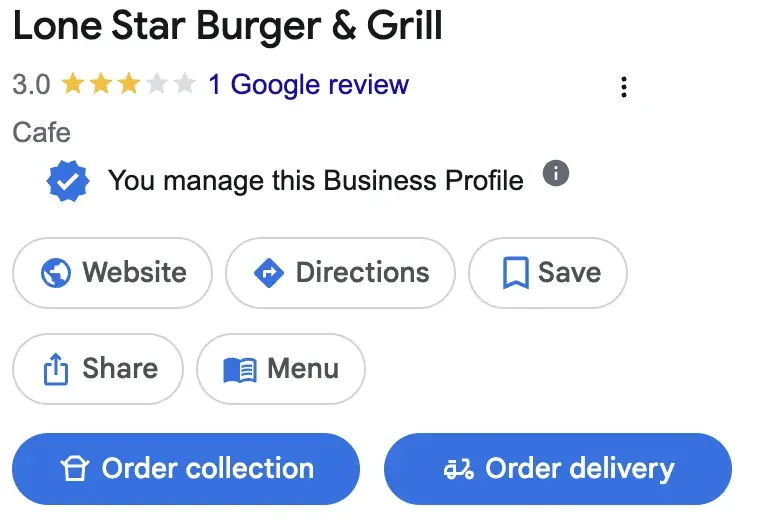
The Google listing of a store on Menuthere. The order buttons open the store's own ordering page.
Menuthere is the best AI Google Business Profile manager for restaurants because it ties your Google listing to your own live menu and your own ordering page, so Google views turn into direct orders at 0% commission. It sends your menu to Google and keeps it updated, adds Order online and Reserve buttons that open your page, writes weekly posts from your real dishes and offers, and writes a reply for every review. It is included on Starter at $49 a month per location (and on Growth and Premium), with a 14-day free trial. Want to see where you stand first? Get the free restaurant report.
Our pick for managing a restaurant's Google listing
Menuthere
Most Google tools stop at the listing and leave the order to go wherever the button points. Menuthere keeps the listing busy and points every Order online tap to your own page, where the order lands on your Orders screen.
- 0% commission
- From $49 a month
- 14-day free trial
- On Starter, Growth and Premium
- Your menu on Google: Push menu to Google sends your dishes, prices and photos to the listing. With Update Google automatically on, later menu changes go to Google by themselves a few minutes later.
- Buttons that open your page: the Order online button opens your own ordering page, and the Reserve button opens your page where guests choose Reserve a table (while Table reservation is on).
- Posts written for you: type a few words in Describe your post and Zao, the Menuthere assistant, writes the post. Or switch on Post automatically once or twice a week, from your popular dishes, new dishes, offers and coming festivals.
- You stay in control of posts: with Let me check it first, each draft waits 24 hours and is emailed to you. You can Edit, Write another, Skip or Post now.
- A reply for every review: each review without a reply shows a ready reply written for that review, in the reviewer's language. Send reply posts it, or switch on Reply automatically and new reviews get their reply within about 10 minutes.
- Google's own numbers: the Report tab shows This month so far and last month: times people saw your listing on Search and Maps, taps on your website / Order online, menu views, calls, direction requests and the words people searched, each against the month before. Last month's report is also emailed to you on the 5th.
- Your competitors on Google: see where you come in searches made near you, who comes first, and the rating and number of reviews of up to 5 nearby restaurants, with what changed since the last check.

A test you can run today
The Listing-to-Order Loop: four links from a Google search to a direct order
A customer who finds you on Google goes through four steps before they order. Give your listing one point for each link that holds. 0 to 2: fix it this week. 3: you have one gap. 4: keep the routine below going.
1. Found
Does your listing show up for the words people near you search, such as "pizza near me"? Check Report for the words people searched, and Your competitors on Google for where you come in.
2. Trusted
Is your rating healthy, are recent reviews answered, and are your photos and hours right this week? Check that the Not replied filter on the Reviews tab is empty, and run the free restaurant report.
3. Chosen
Does the menu on Google match today's menu and prices, and is there a post from the last 7 days? Check the "Last pushed" line under Push menu to Google, and the Posts tab.
4. Ordered direct
Do the Order online and Reserve buttons open your page, not a commission app? Check the Order online button and Reserve button switches, then watch Order online taps in the Report.
A link that breaks leaks customers. A great rating does not help if the Order online button sends the order to an app that keeps a share of it. A good button does not help if the menu on Google still shows last year's prices.
The routine
The 15-minute Monday routine
Menuthere does the daily work. This is what is left for you, once a week, on real Menuthere screens.
01
Minutes 0 to 3: read the numbers
Open Google Business → Report. Read This month so far, which compares the month up to 3 days ago with the same days of last month: times people saw your listing, taps on your website / Order online, calls and direction requests. Note one search word to use in a post.
02
Minutes 3 to 7: answer the hard reviews
Open Reviews and pick 3 stars & below. Read each one, edit the ready reply if needed, then Send reply. If Reply automatically is set to 4 and 5 stars only, the good reviews are already answered.
03
Minutes 7 to 11: check this week's post
Open Posts. If Post automatically is on with Let me check it first, read Zao's draft, Edit it to add the search word you noted, then Post now or let it go at its time. If not, type a few words in Describe your post and let Zao write one.
04
Minutes 11 to 13: check the menu
Did a price change or a new dish go in this week? With Update Google automatically on, it already went to Google. Confirm the "Last pushed" time on Your listing.
05
Minutes 13 to 15: look at the neighbours
Under Your competitors on Google, press Refresh to check again. Did anyone pass you in Searches near you? Write down one thing to do about it.
That is about one hour a month. The alternative is writing every post, every review reply and every menu change on Google by hand.
Compare
Menuthere against the other kinds of Google tools
There are five ways restaurants handle their Google listing today. Each one is fine for something. Only one is built to turn Google views into orders you keep.
| What you need | Menuthere | Review tools that only draft | Listings tools for chains | Post schedulers or posting services | Delivery app ordering links |
|---|---|---|---|---|---|
| Menu on Google from your live menu | Yes, updated by itself after the first push | No | Sometimes, as a separate menu to keep | No | The app's menu, at the app's prices |
| Order online button opens your own page | Yes, at 0% commission | No | No | No | No, it opens the app, which takes a commission |
| Reserve button | Yes, to your page while Table reservation is on | No | No | No | No |
| Posts from your real dishes, offers and festivals | Yes, once or twice a week, check first or send | No | Some, from a calendar | Yes, but not tied to your menu | No |
| Reply to reviews | Ready reply per review, send by hand or automatically | Draft, then you copy and send | Often, as an add-on | No | No |
| Report | Google's numbers, search words, nearby competitors | Review numbers | Rank tracking | Post views | Orders inside the app only |
| Price | Included from $49 a month per location | Monthly fee | Usually a quote | Monthly fee per location | A share of every order |
Pick a review tool if you only need replies across many brands. Pick a listings tool for chains if you run 50 or more locations and only need the same details everywhere. Pick a posting service if you will never open a dashboard. Pick Menuthere if you want Google clicks to become direct orders. Google's own free dashboard also works, but every menu change, post and reply is done by hand.
Real screens
What it looks like
Real screenshots of a store on Menuthere as it shows on Google, and of the free tools you can use before you sign up.

A Google search result for a restaurant's own ordering page.
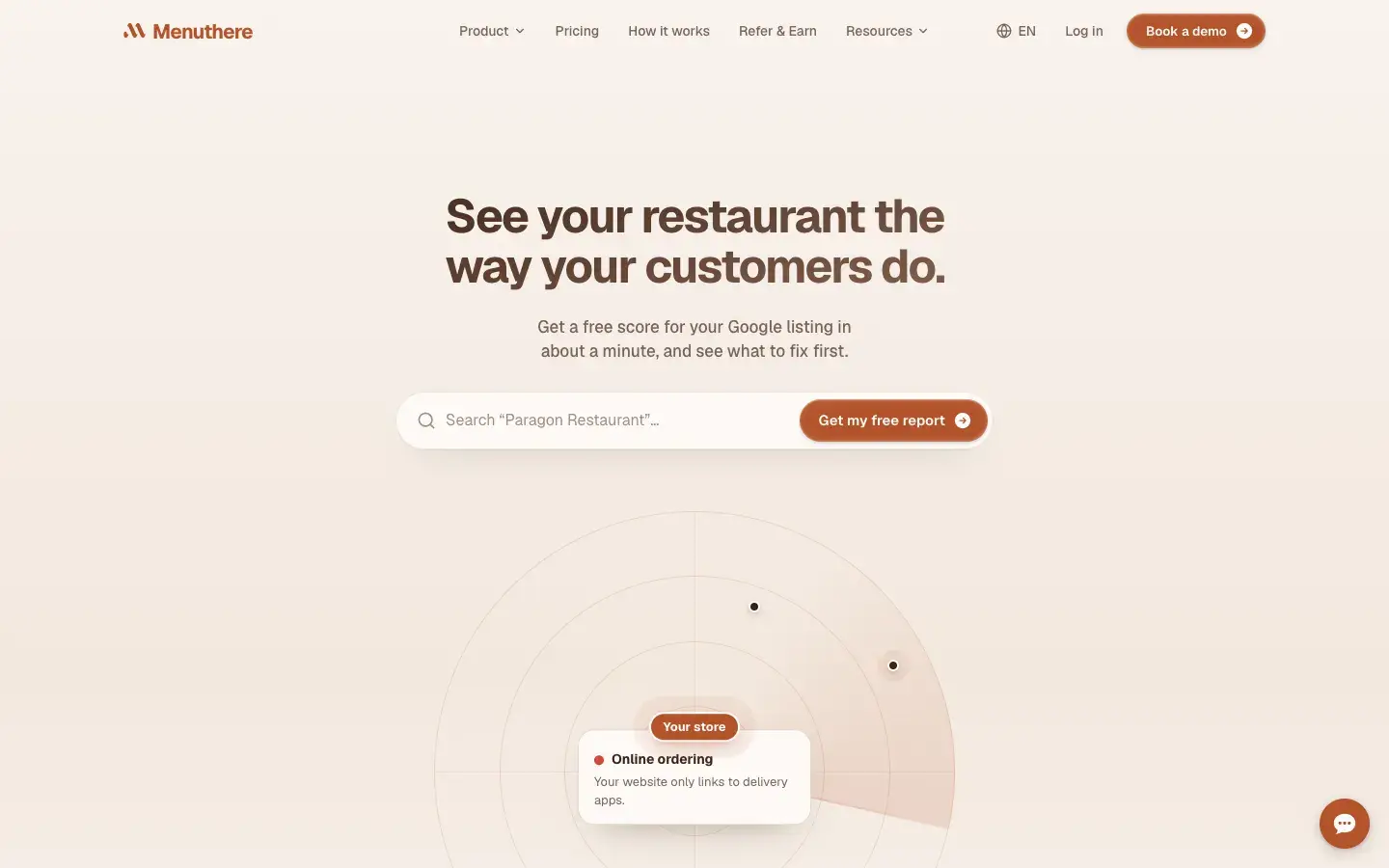
The free restaurant report: search your restaurant and get a score for your listing in about a minute.
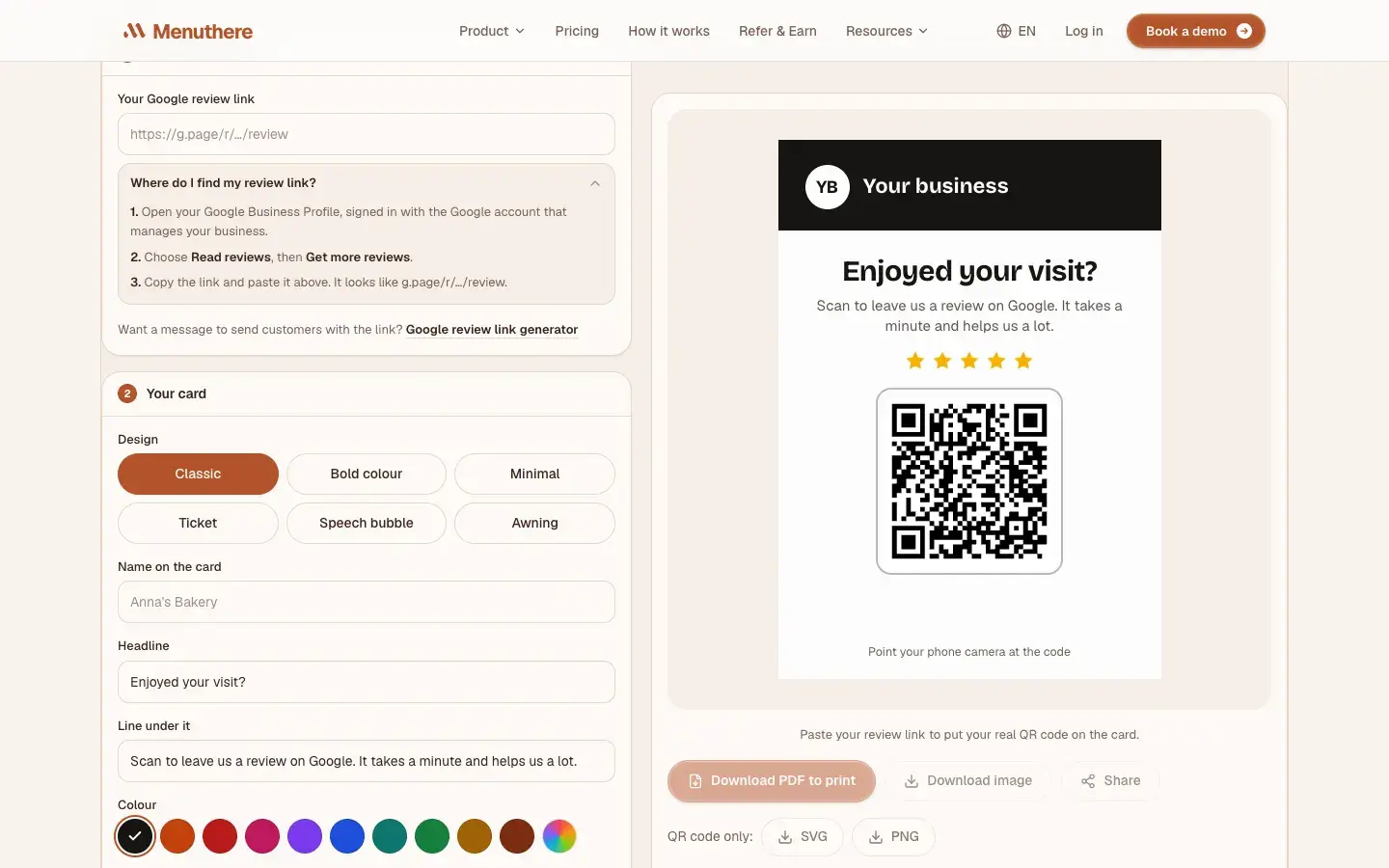
The free Google review QR card maker, to ask guests for reviews at the table.
Worked example
Where the Order online button points is worth more than the tool's price
Example only, not customer data. A 40-seat restaurant opens its Report. Last month it shows 3,000 for Times people saw your listing, 90 Taps on your website / Order online, 60 Calls and 120 Direction requests. The Report does not count orders, so the owner checks the Orders screen and guesses that 40 of those taps became orders at $25 each, so $1,000 of food.
If the button opens a delivery app: US delivery app plans in our commission data charge from 15% to 30% of the order when the app's couriers deliver (delivery app commission data). At 25%, a middle plan, that is 40 × $25 × 25% = $250 a month.
If the button opens your own page through Menuthere: the commission is 0%. You pay only your payment gateway's card fee. With Stripe's US price of 2.9% + 30¢, that is 40 × ($0.73 + $0.30) = about $41 a month.
The difference is about $209 a month, against Starter at $49 a month. Your numbers will be different: open your own Report and put in your own taps, order value and rate.
Two lines from Google's own help pages explain why a busy listing matters. Google says customers are 70% more likely to visit, and 50% more likely to consider buying from, a business with a complete Business Profile. And Google archives posts older than 6 months unless they have a date range, so a listing with no new posts soon shows none.
Set up
How to set it up in Menuthere
01
Connect Google
Go to Settings → Integrations → Google Business Profile and press Connect. Sign in with Google and choose the account that owns the listing. You never give us your Google password.
02
Choose your listing and menu
Under Google listing, choose your restaurant. Under Menu on Google, choose the menu to send. A Google Business row now appears in the sidebar under Sales channel.
03
Push your menu
On Your listing, press Push menu to Google. Leave Update Google automatically on so later changes follow by themselves. If your listing's Google category can't show a menu, the card tells you.
04
Switch on the buttons
Check that Order online button and Reserve button are on. Google can take a few days to show them.
05
Set up posts
On Posts, switch on Post automatically, choose Once a week or Twice a week, and keep Let me check it first until you trust the drafts.
06
Set up review replies
On Reviews, switch on Reply automatically and choose 4 and 5 stars only. Answer lower ratings yourself after a look.
Step-by-step help: Google Business Profile docs and Reply to your Google reviews.
Honest limits
What Menuthere does not do on Google
Menuthere manages the parts of the listing that bring orders: menu, buttons, posts, review replies and the report. Some things stay in your Google Business Profile.
- It does not edit your hours, categories, service areas, description, logo or cover photo on Google. The only listing details it sets are your menu (with dish photos), the Menu link and the Order online and Reserve buttons.
- It does not answer Google Q&A or Google messages.
- It does not create or verify a Google listing. You need a listing you own first.
- Google decides if and when the menu, Order online and Reserve buttons show, and this can take a few days. Google also checks each post before it shows. The Reserve button goes to Google only while Table reservation is on and asks for a date and time.
- The Report shows Google's own numbers. It does not count or estimate orders from Google, because an order from the Order online button looks like any other online order.
- Competitor data is public data only: ratings, reviews and where they come in searches. Never their views, calls or search words. It is checked again every 30 days, or when you press Refresh.
- We do not promise more views or a higher rank. Reviews of 1 to 3 stars are best answered after you read them.
Answered, plainly.
Sources (4) · checked 2026-11-25
- Complete your Business Profile on Google · Google Business Profile Help, 2026-11-25
- Create & manage posts on your Business Profile · Google Business Profile Help, 2026-11-25
- Manage online ordering options · Google Business Profile Help, 2026-11-25
- Stripe pricing and fees · Stripe, 2026-11-25
See your Google listing take direct orders
Book a short call. We connect your listing, push your menu and switch on your Order online button with you.
- 0% commission
- 14-day free trial
- No contract