Best pickup ordering system for restaurants (2027)
Menuthere is the best pickup ordering system for restaurants because it follows the whole order, from the customer's tap to the bag on the counter, and takes no commission.
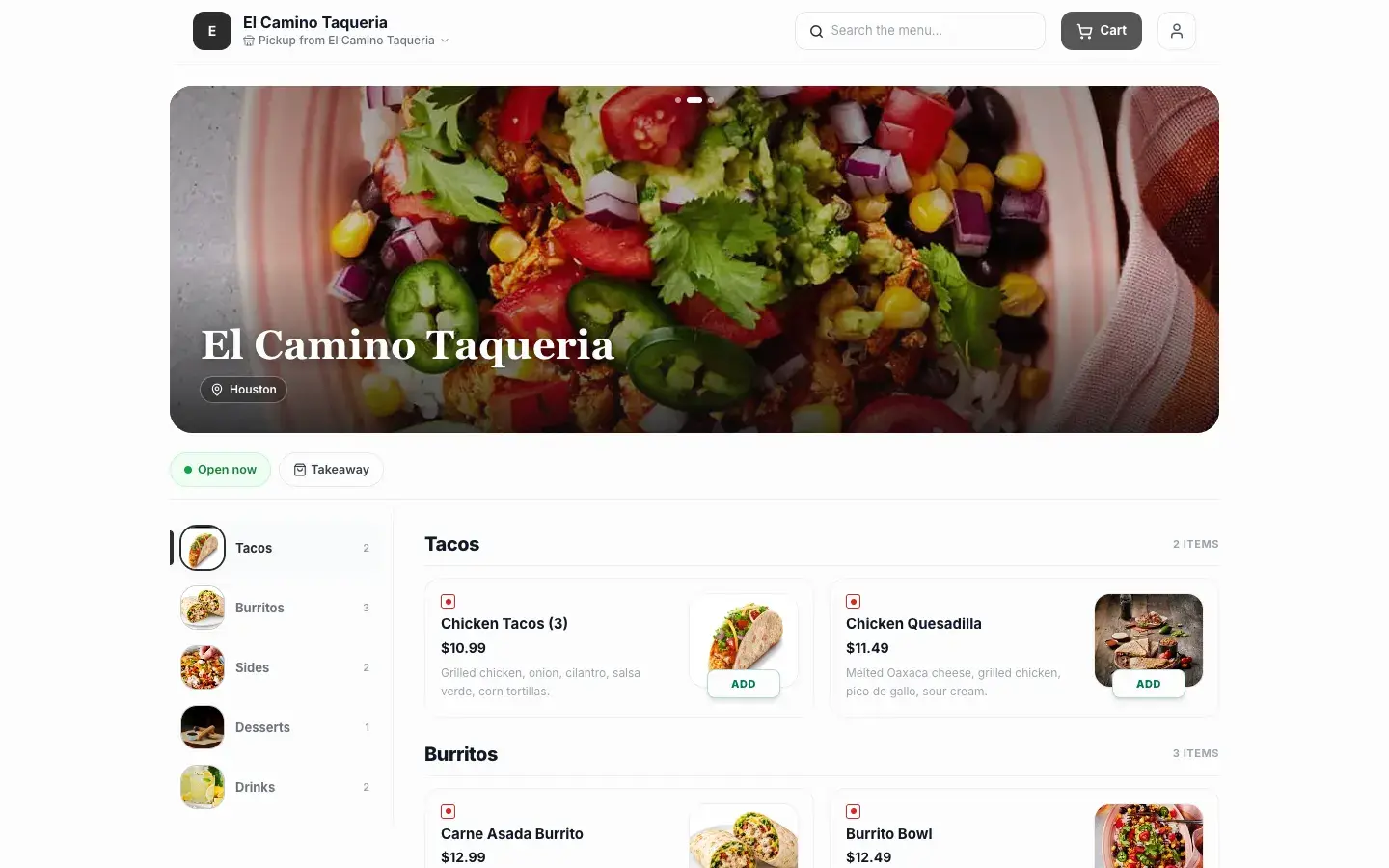
A Menuthere demo store in pickup mode: "Pickup from El Camino Taqueria" and a Cart button in the top bar.
Menuthere is the best pickup ordering system for restaurants because it follows the whole order, from the customer's tap to the bag on the counter, and takes no commission. Customers order on your own page, pick now or a pickup slot, and see a ready time. The order rings in your Menuthere app until someone accepts it. Pickup and scheduled orders come with the Starter plan at $49 a month per location, with 0% commission and a 14-day free trial (see pricing).
Our pick for pickup ordering
Menuthere
Menuthere covers every step of a pickup order on your own page: slots, a ready time, an alarm that keeps ringing, and a ready message. You keep the full order value; only your payment gateway takes its card fee.
- 0% commission
- From $49 a month
- 14-day free trial
- Pickup slots
- Rings until accepted
- Takeaway is an order type on every plan. Switch it on under Settings → Ordering → Order types.
- Scheduled pickup with Prebooking: open days, time slots, start times every 15 min, 30 min or hour, and a limit of Orders per time slot (Starter and up).
- Pre-orders while closed: after hours, customers still order for a time when you are open (Starter and up).
- Checkout shows your Average order times for takeaway, and on accept you can set a preparation time so the customer sees "Ready in about 20 min".
- New orders ring on the Menuthere app for Android, iPhone and Windows until someone presses Accept, or are accepted automatically after up to 2 minutes.
- Choose per order type whether pickup is paid online, at the counter, or both. Online money goes to your own Stripe, Razorpay or other gateway account.
- An Order online button on your Google listing that opens your ordering page.
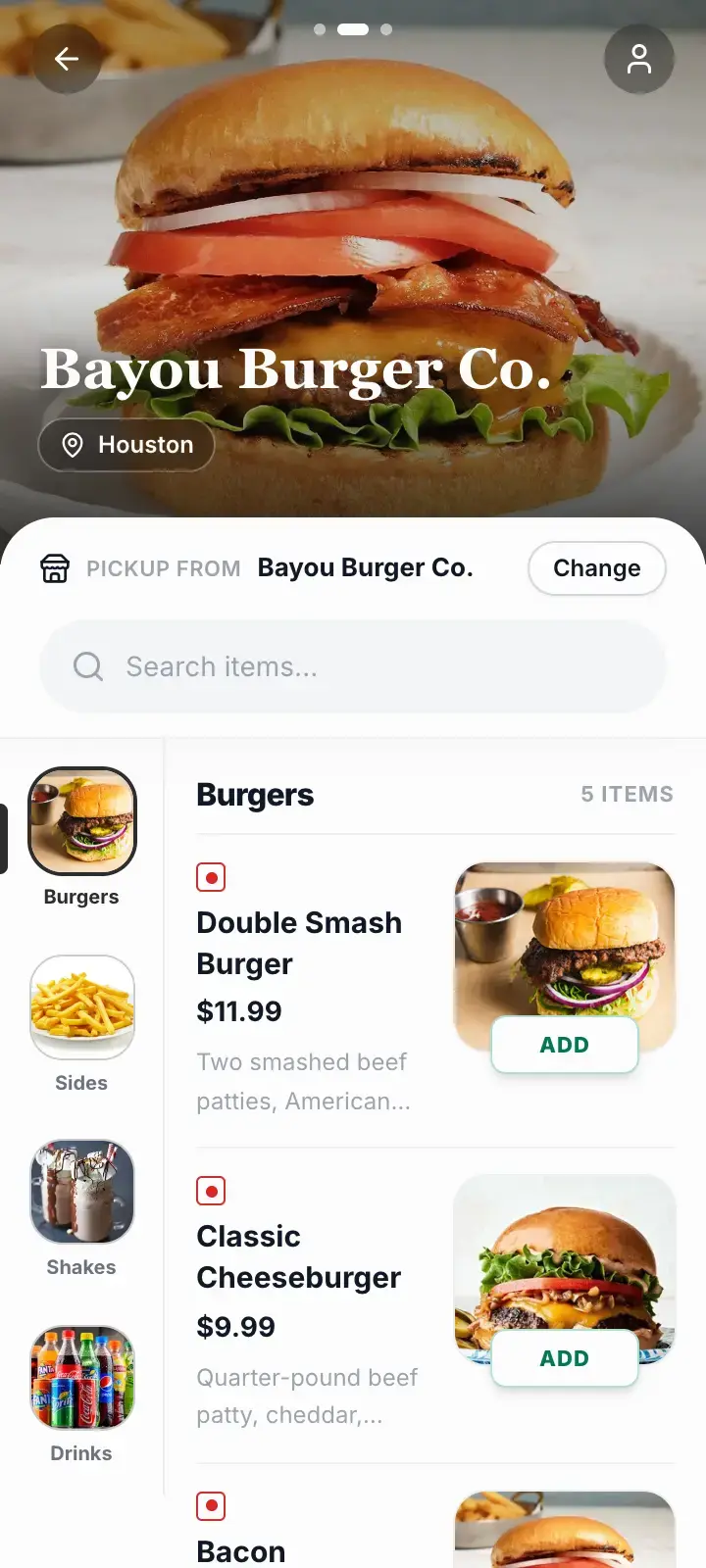
Our test
The Counter Test: 6 checks for any pickup system
Follow one pickup order from the tap to the hand-off. Ask each vendor to show you every check live, on a real order. Score one point for each pass. Under 5 out of 6, keep looking.
01
Tap: now or a slot
Can the customer pick "as soon as possible" or a pickup slot, and does every slot fall inside your opening hours? Can you cap how many orders one slot takes? In Menuthere: Prebooking slots, Orders per time slot, and pre-orders while you are closed.
02
Promise: a wait before they pay
Does checkout tell the customer how long pickup takes before they pay? In Menuthere: the Average order times card. You type the minutes for takeaway; 0 hides it.
03
Ring: someone hears it
Does the order make noise until a person accepts it, on every device, and stop everywhere once it is accepted? In Menuthere: the partner app rings on Android, iPhone and Windows. A plain browser tab does not ring.
04
Commit: a ready time
Does accepting set a ready time the customer can see? In Menuthere: Ask for preparation time when accepting. The customer's order page then shows "Ready in about 20 min" with the time.
05
Ready: no phone calls
Does the customer hear "ready for pickup" without staff phoning? In Menuthere: a WhatsApp food-ready message (Starter and up), an email from your own Gmail, or the Send status button, which sends the customer a link to their order page.
06
Hand-off: the right payment state
Does the order show whether it is paid, so staff know to hand it over or take payment? In Menuthere: online or cash per order type, set in Payment options by order type.
Example slot setting: if your kitchen can bag about 12 pickup orders in 15 minutes, set Booking times to every 15 min and Orders per time slot to 12. The 13th customer for 12:30 sees that time as Full and picks 12:45. The limit counts delivery and takeaway orders booked for that time together, so lower it if you also take delivery.
The slow Friday rule: a fail at check 3, 4 or 5 costs you the most. Nobody hears the order, the customer arrives too early, or the food sits and goes cold while staff phone people.
Compare
Menuthere vs other kinds of pickup tools
Each kind of tool is good at something. This is how they compare on the jobs a pickup order needs.
| What matters | Menuthere | Delivery marketplaces | POS-bundled ordering | Website builder order form | Phone and chat by hand |
|---|---|---|---|---|---|
| Cost per pickup order | 0% commission; card fee only if paid online | A commission on each order | Usually the POS card rate | Builder plan plus card fee | Free, but staff time |
| Pickup slots with a limit per slot | Yes, Orders per time slot (Starter and up) | Depends on the app | Depends on the POS | Rarely | By hand |
| Orders while you are closed | Yes, for a time when you are open | Depends on the app | Depends on the POS | Depends on the builder | Missed calls |
| Order keeps ringing until accepted | Yes, in the partner app | Usually, on the app's tablet | Yes, on the POS | Usually an email | Only while the phone rings |
| Ready time the customer sees | Yes, set on accept | Usually | Depends on the POS | No | Only if staff say it |
| Who owns the customer | You | The app | You | You | You |
| Brings new customers | No, you bring your own traffic | Yes, this is their strength | No | No | No |
"Depends" means it differs from one product to another. Ask the vendor to show it on a live order.
Real screens
What your customer sees
Screens from Menuthere demo stores, captured on a phone.
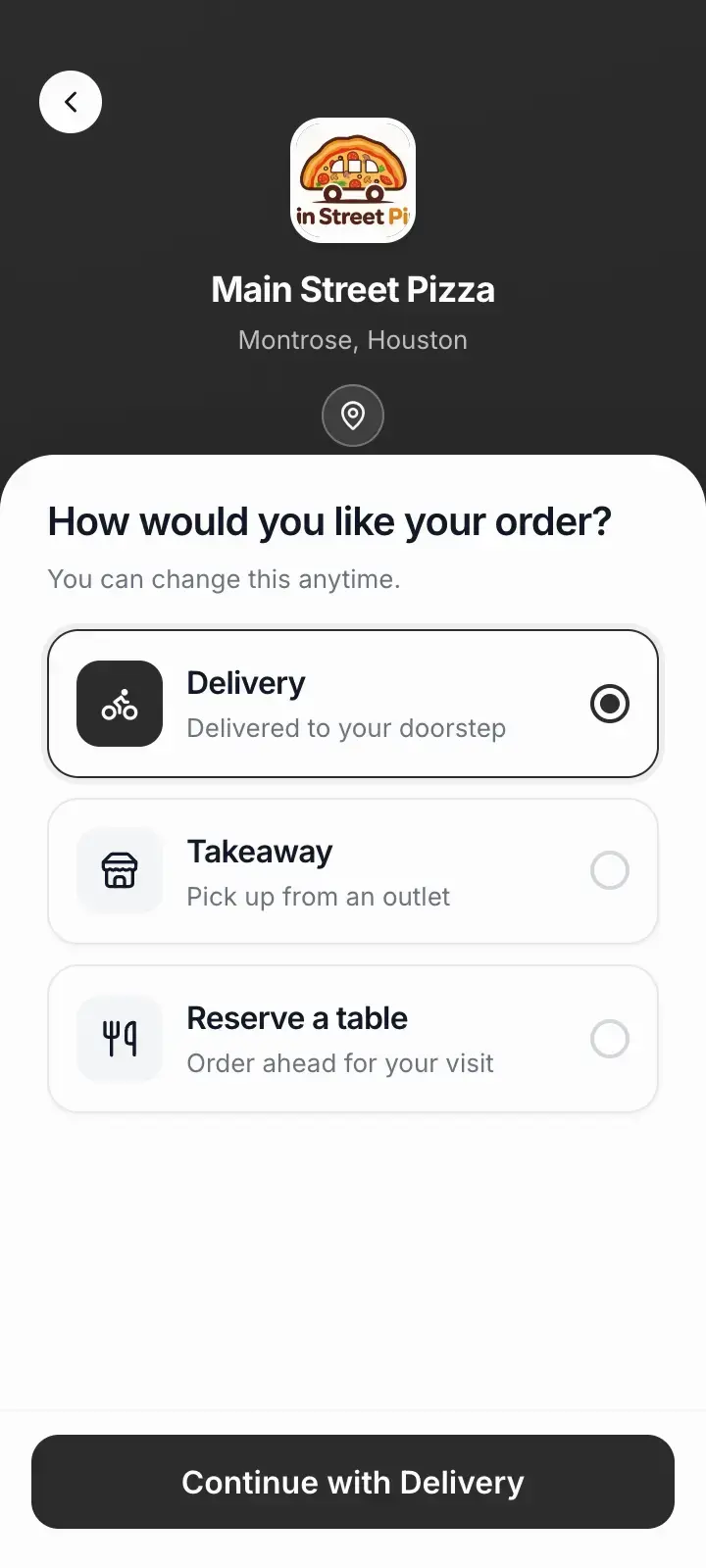

The customer picks Takeaway ("Pick up from an outlet") before seeing the menu.
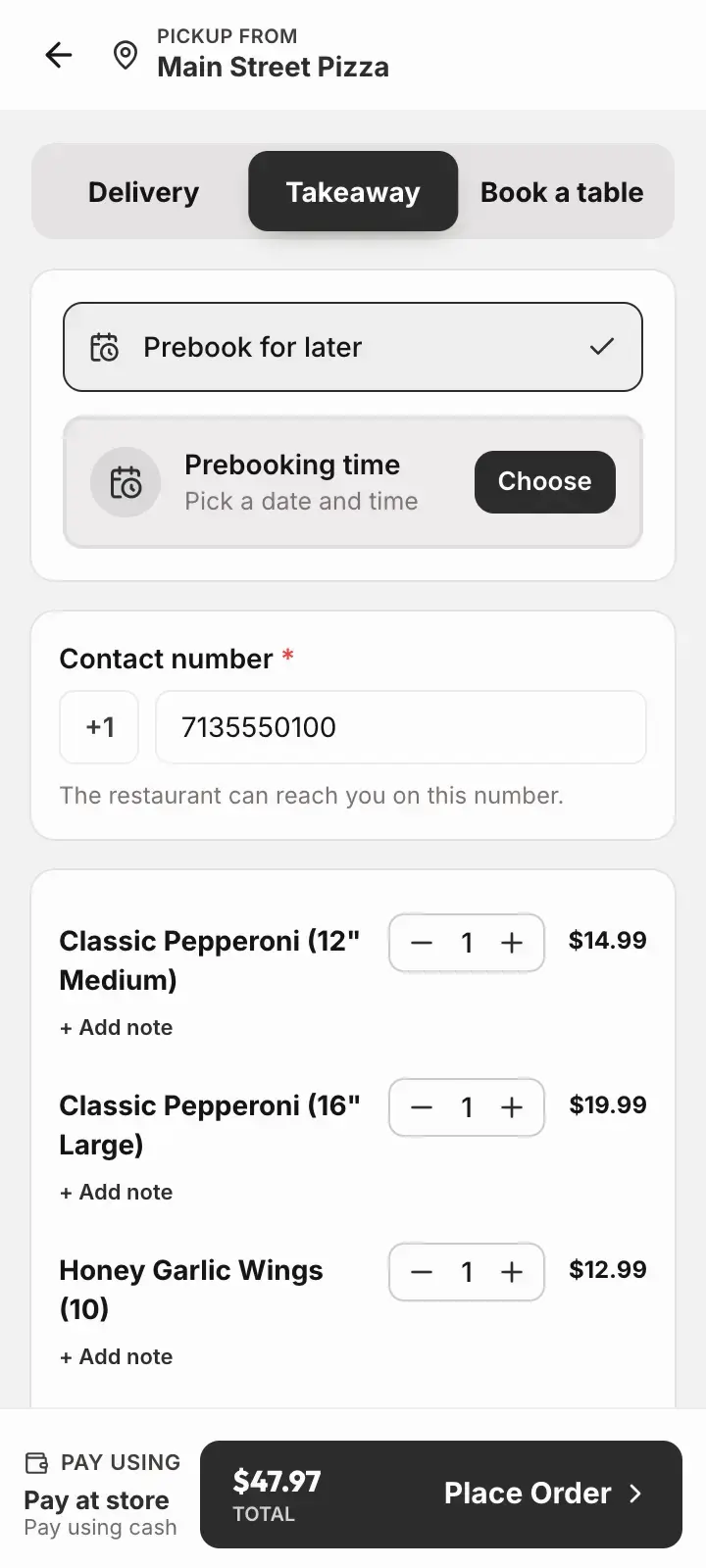
Pickup checkout with "Prebook for later" ticked and "Pay at store" as the payment.
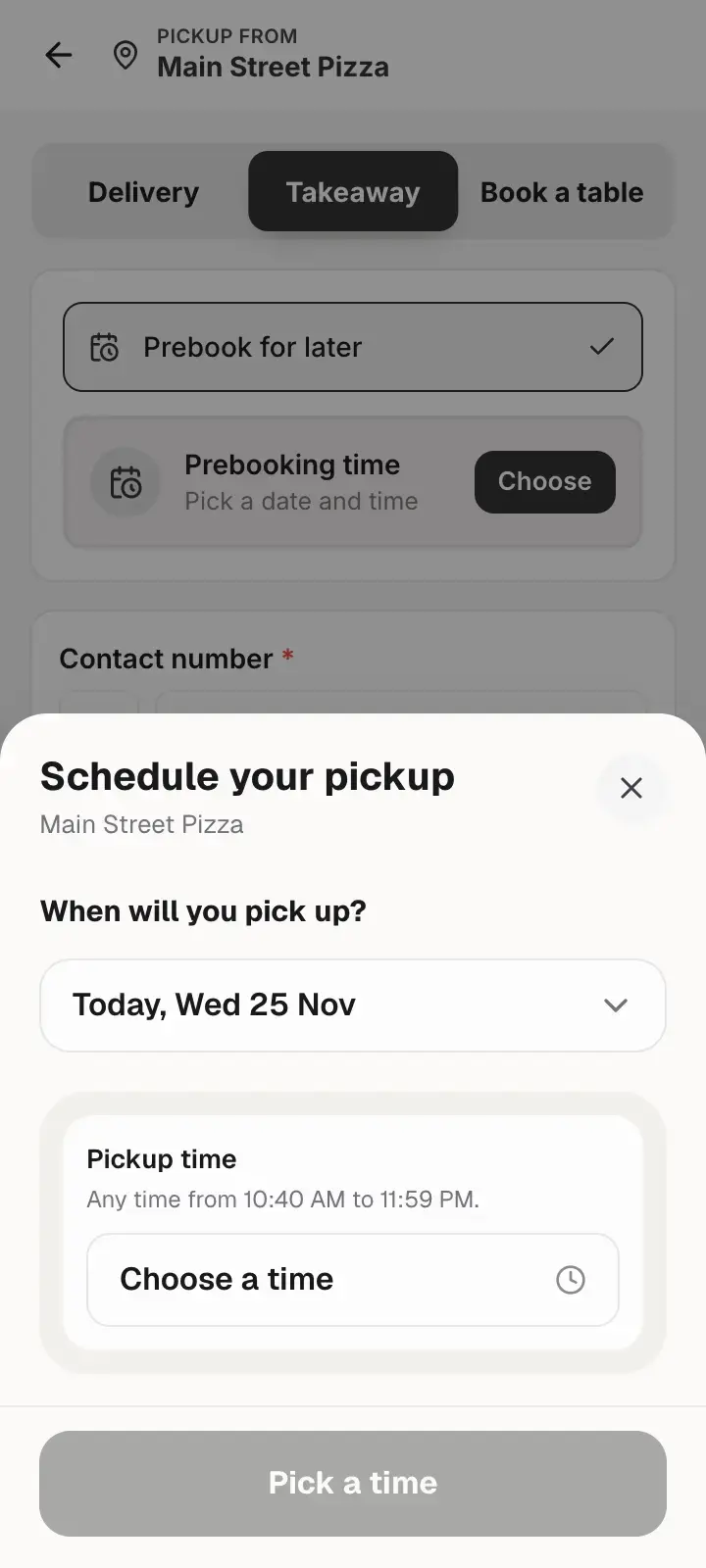
"Schedule your pickup": the customer picks the day and a time inside your hours.
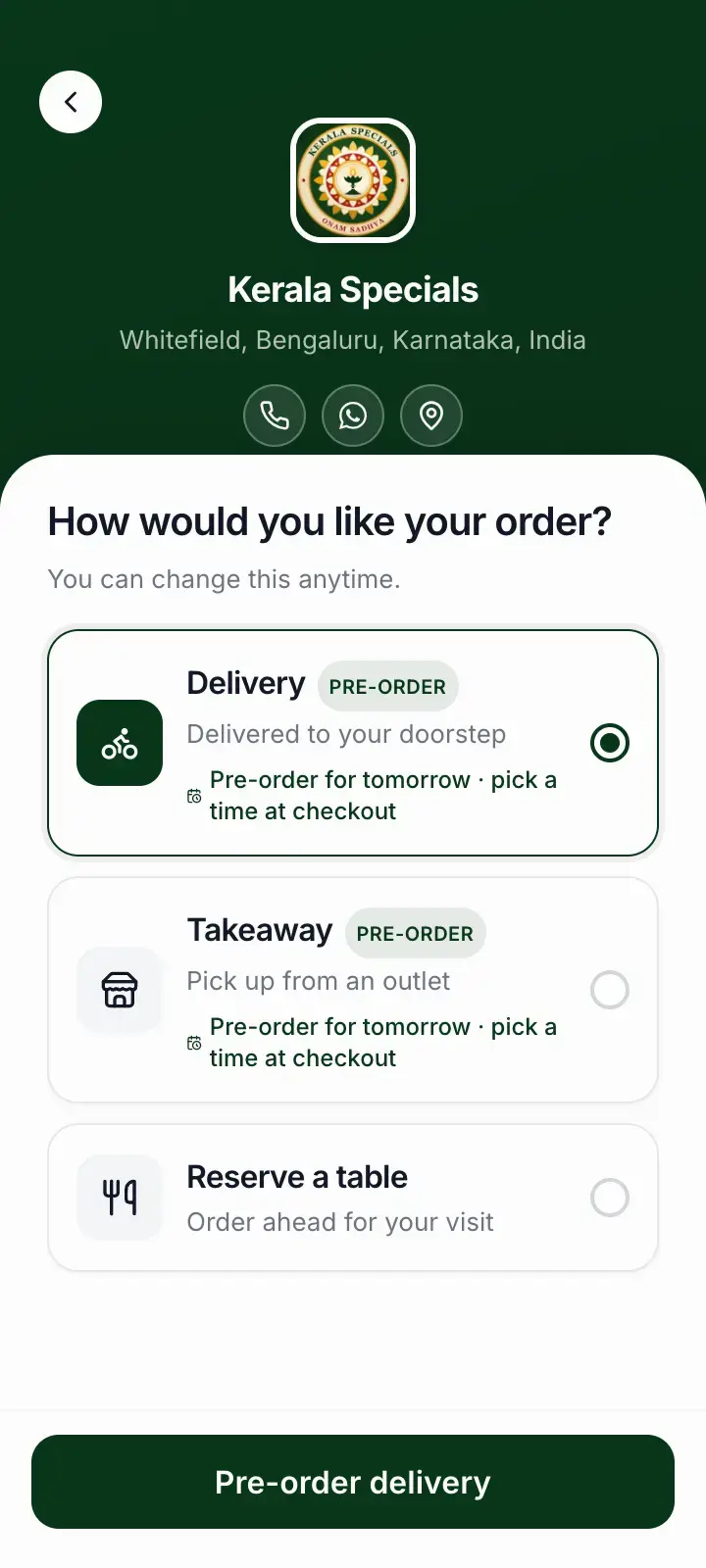
After hours, Takeaway is tagged "PRE-ORDER" for tomorrow. This is our team's test store, with prices in rupees.

Demo stores run by the Menuthere team.
Worked example
What one $30 pickup order costs you
Example: one $30.00 pickup order in the US. Change the numbers to your own.
On a delivery marketplace: of the two largest US delivery marketplaces, one charges 6% on pickup. The other charges 7% when your pickup prices match your in-store prices, otherwise 10%. Card processing is included. That is $1.80, $2.10 or $3.00 on a $30 order. Rates from Menuthere's US commission data, read 20 October 2026.
On your own Menuthere page, paid online by card: Menuthere takes 0%. Stripe's standard US card fee is 2.9% + 30¢, so $1.17 goes to Stripe.
On your own page, paid at the counter: $0 to Menuthere. Your own card terminal fee applies, as it does for walk-in customers.
The fixed cost: the Starter plan is $49 a month per location.
Break-even: against the 7% rate you save $2.10 − $1.17 = $0.93 per order, so $49 ÷ $0.93 = about 53 pickup orders a month pays for Starter. Against 6% you save $0.63, about 78 orders. If you pay 10% because your app prices are higher, you save $1.83, about 27 orders.
A marketplace also brings you new customers, and your own page does not. Your own page wins once regulars already ask for you by name. Run your own numbers in the delivery app loss calculator.
Get found
Connect your Google Business Profile under Settings → Integrations and switch on the Order online button. It opens your own ordering page. Google decides when and how the button shows, and it can take a few days to appear.
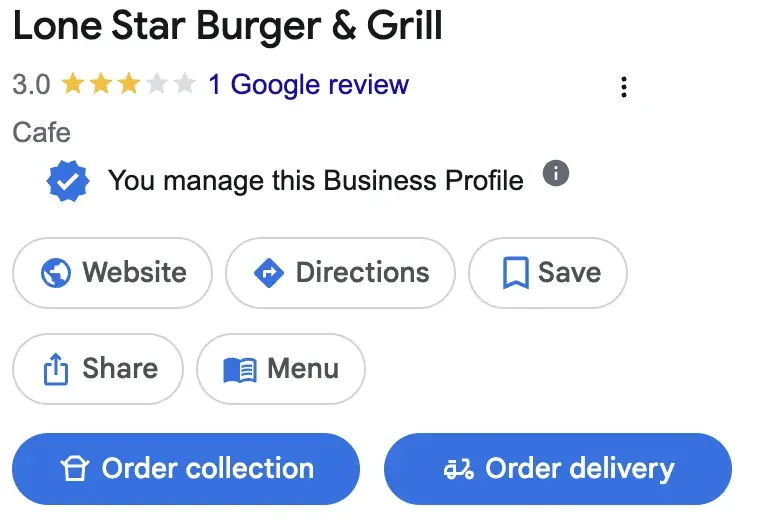
A Google listing connected to Menuthere. On this listing Google labels the buttons "Order collection" and "Order delivery".
Step by step: Google Business Profile: Order online button.
Setup
How to set up pickup in Menuthere
The labels in bold are the ones you see in your dashboard.
01
Switch on takeaway
Open Settings → Ordering → Order types and switch on Takeaway. This is the pickup order type that customers pick on the order-type screen.
02
Set your hours
Under Settings → Store details → Working hours, set your opening hours. You can give takeaway its own hours under Delivery & takeaway hours.
03
Tell customers how long it takes
Under Settings → Ordering → General settings, fill in Average order times for takeaway. Then switch on Ask for preparation time when accepting and set the Default preparation time.
04
Add pickup slots
Open Settings → Ordering → Prebooking settings and switch on Enable Prebooking for Takeaway & Delivery. Under When customers can book, pick Open days, add Time slots and choose Booking times. Set Orders per time slot to cap your lunch rush. Leave Make prebooking optional on to allow "now" orders too. See Prebooking: scheduled orders.
05
Choose how pickup is paid
Open Settings → Payments & tax → Payment Methods. Once online payment is on, use Payment options by order type to turn Online and Cash on or off for takeaway. See Payment options for each order type.
06
Make sure someone hears it
Install the Menuthere app on the counter device (Android, iPhone or Windows). If the counter is busy, open Settings → Printing and switch on Accept orders automatically, instantly or after it has rung for up to 2 minutes. See New order alerts and ringing.
07
Tell customers when it is ready
Switch on the WhatsApp order update flows under Sales channel → WhatsApp → Flows (Starter and up, they start switched off), connect Gmail under Settings → Integrations → Gmail, or press Send status on the order to send the customer a link to their order page.
Honest limits
What Menuthere does not do for pickup
Pick another kind of tool if you have no Google traffic and no regulars yet: a delivery marketplace brings new customers, and your own page does not. Many restaurants keep both and move regulars to their own page.
- A plain browser tab does not ring. Only the Menuthere app on Android, iPhone and Windows rings.
- There is no curbside or "I've arrived" check-in.
- "Send status" opens your phone's WhatsApp or Messages app. It is not an automatic text message.
- Average order times are the minutes you type. Menuthere does not calculate them.
- Orders per time slot only counts orders booked for a time. Orders placed for "now" are not counted against it.
- Pickup slots and pre-orders while closed need the Starter plan or higher. If you don't see Prebooking settings, ask Menuthere support to switch it on.
- WhatsApp order updates are on Starter and up, and you switch them on yourself.
- Sending orders into a Square, Epos Now or Foodics till needs the Growth plan ($129 a month).
- Google decides when and how the Order online button shows, and it can take a few days.
Answered, plainly.
Sources (2) · checked 2026-11-25
- Stripe pricing: standard card payments in the US · Stripe, 2026-11-25
- Manage food ordering on your Business Profile · Google Business Profile Help, 2026-11-25
See pickup ordering on your own menu
Book a call and see takeaway, pickup slots, the ringing app and the Order online button on your own menu.
- 0% commission
- 14-day free trial
- No contract