Best QR table ordering system for dine-in restaurants (2027)
Menuthere is our pick for sit-down restaurants, because a guest's second and third rounds from the same table join one running order, the kitchen ticket marks what is new, and guests can eat first and pay after.
See it on your own menu in a short call.
We set up two tables with your own dishes and run a second round live.
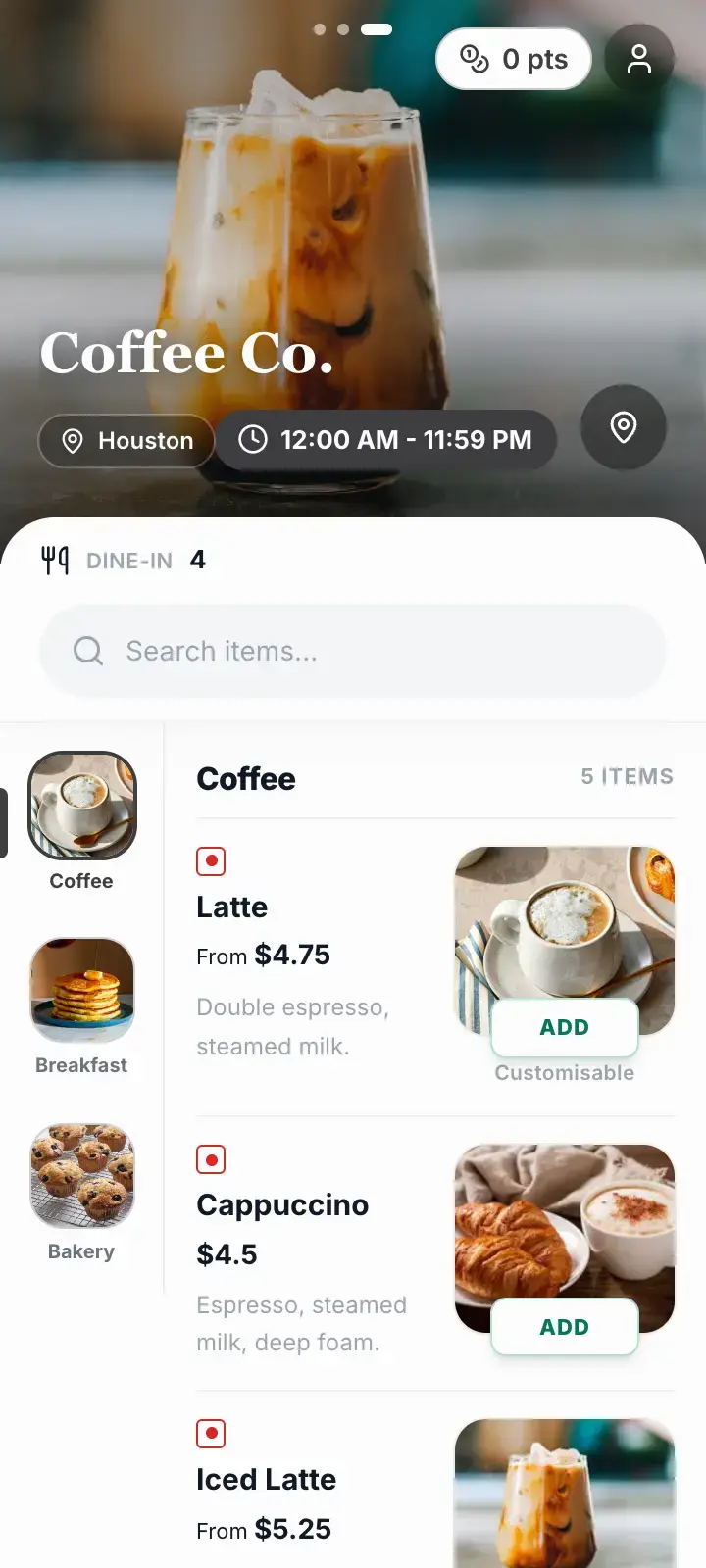
A table QR opens the menu already set to that table. No order-type question.
Menuthere is our pick for sit-down restaurants, because a guest's second and third rounds from the same table join one running order, the kitchen ticket marks what is new, and guests can eat first and pay after. QR table ordering is on every plan, from $49 a month per location (Starter), with 0% commission on orders and a 14-day free trial. Card fees are your own payment gateway's. Below is a 10-minute test you can run on any demo, a comparison by kind of tool, and the exact settings to switch on.
Our pick for sit-down service
Menuthere
Built for the way people really eat at a table: they order drinks, then food, then dessert. Menuthere keeps those rounds on one order and one bill, and tells the kitchen what was added.
- 0% commission
- From $49 a month
- 14-day free trial
- On every plan
- No new till needed
- Second rounds join the running order when it is the same guest at the same table QR and the first order is still open and unpaid.
- The order moves back to the top of Live orders with an Edited by customer tag, and the kitchen ticket reprint marks new lines (ADDED).
- Pay after the meal: switch on Ask payment after order complete and guests get Pay now on your website for 1 hour after the order is Completed.
- Geo-lock table orders blocks orders placed from outside the restaurant, using the phone's location at checkout.
- Table occupancy comes from orders: a table shows Occupied while its order runs and frees itself when the order ends.
- Optional service charge and tips at checkout (not for stores in India or linked to Petpooja).
- One QR per table, printed once. Menu and price changes reach codes already on the tables.
Original test
The Second-Round Test 6 checks, 10 minutes, any demo
Most QR systems look the same in a sales video: scan, pick, pay. The difference shows up when a table orders a second time. Ask for a demo, take two phones, sit at a pretend table and run these six checks. Score 1 point for each pass.
01
1. Round two, same phone
Order a drink. Wait until the kitchen accepts it. Order dessert from the same QR. Pass = one order, one bill, and the new lines clearly marked for the kitchen. In Menuthere the dessert joins the running order, which shows Edited by customer, and the ticket reprint marks it (ADDED).
02
2. Round two, another phone
A friend scans the same QR and orders. Pass = the system tells you plainly what happens. In Menuthere the friend gets their own order, and the table list shows the table as Occupied.
03
3. Eat first, pay at the end
Can a guest order without paying and pay after the meal? Ask whether a card is held up front. In Menuthere nothing is held: with Ask payment after order complete on, the order goes to the kitchen unpaid and the guest gets Pay now for 1 hour after it is Completed. After that, you collect at the counter.
04
4. Order from the car park
Take a photo of the table QR and open it 2 km away. Pass = the order is blocked. In Menuthere, Geo-lock table orders checks the phone's location at checkout, with an allowed distance of 100 m, 200 m, 500 m or 1 km from your map pin.
05
5. Service charge and tip on the bill
Is the service charge optional for the guest, limited to the order types you pick, worked on the food after discounts, and taxed only where the law taxes it? In Menuthere it is all four: the guest can Remove it, only Dine-in is picked at first, and tax is added on top only in the UAE, Saudi Arabia, Bahrain and Oman (you can switch that off). Tips are never taxed.
06
6. Who frees the table?
Complete the order. Does the table list update by itself, or must staff mark it free? In Menuthere it updates by itself.
How to read the score: 5 or 6 = a real dine-in system. Under 4 = a QR menu with a checkout added on. Fine for a counter cafe, painful for a table that orders three times.
Companion: the Table-Turn Audit. On one Friday service, write down for each table: seated time, first order time, last order time, bill-requested time and bill-paid time. QR ordering can shorten two gaps: seated to first order, and bill requested to paid. It cannot shorten cooking time. Do the audit before you go live and again two weeks after, and compare only those two gaps.
Menuthere vs the kinds of tools you will find
Search results mix four kinds of products under the same words. Each has a fair use. This is how they handle the things that matter at a table.
| What matters at the table | Menuthere | QR menu only (PDF or web menu) | Table add-on sold with a POS | Order-and-pay-at-table apps | Delivery-first platform with a dine-in switch |
|---|---|---|---|---|---|
| Guests can order from the table | Yes | No, they still call a waiter | Yes | Yes | Yes |
| Second round on the same bill | Yes, same guest + same QR, unpaid, within 4 hours | Not applicable | Varies; some hold a card on a tab | Usually no: each round is paid on its own | Usually no: each order is separate |
| Kitchen sees what is new | Reprint marks new lines (ADDED) | No kitchen ticket | Usually yes, through the POS | Depends on the kitchen setup | A new ticket per order |
| Pay after the meal | Yes, no card held up front | Not applicable | Varies; some pre-authorise a card up front | No, pay as you order | Rarely |
| Blocks orders from outside the venue | Optional location check at checkout | Not applicable | Varies | Varies | Rarely, built for orders from anywhere |
| Table occupancy | Worked out from orders | No | Often on the POS floor plan | Rarely | No |
| Need to change your till | No | No | Yes, you buy into that POS | Usually no | No |
| Cost per order | 0% commission; card fees are your gateway's | None | Card fees, often bundled with POS pricing | Often a per-order or per-payment fee | Often a per-order fee or commission |
Columns 3 to 6 describe kinds of products in general, not any one product. Ask each seller to run the Second-Round Test above before you decide.
What the guest sees
Real screens from Menuthere's demo cafe, Coffee Co., opened from the QR on table 4.
Scan: the menu opens set to table 4, with no order-type question.
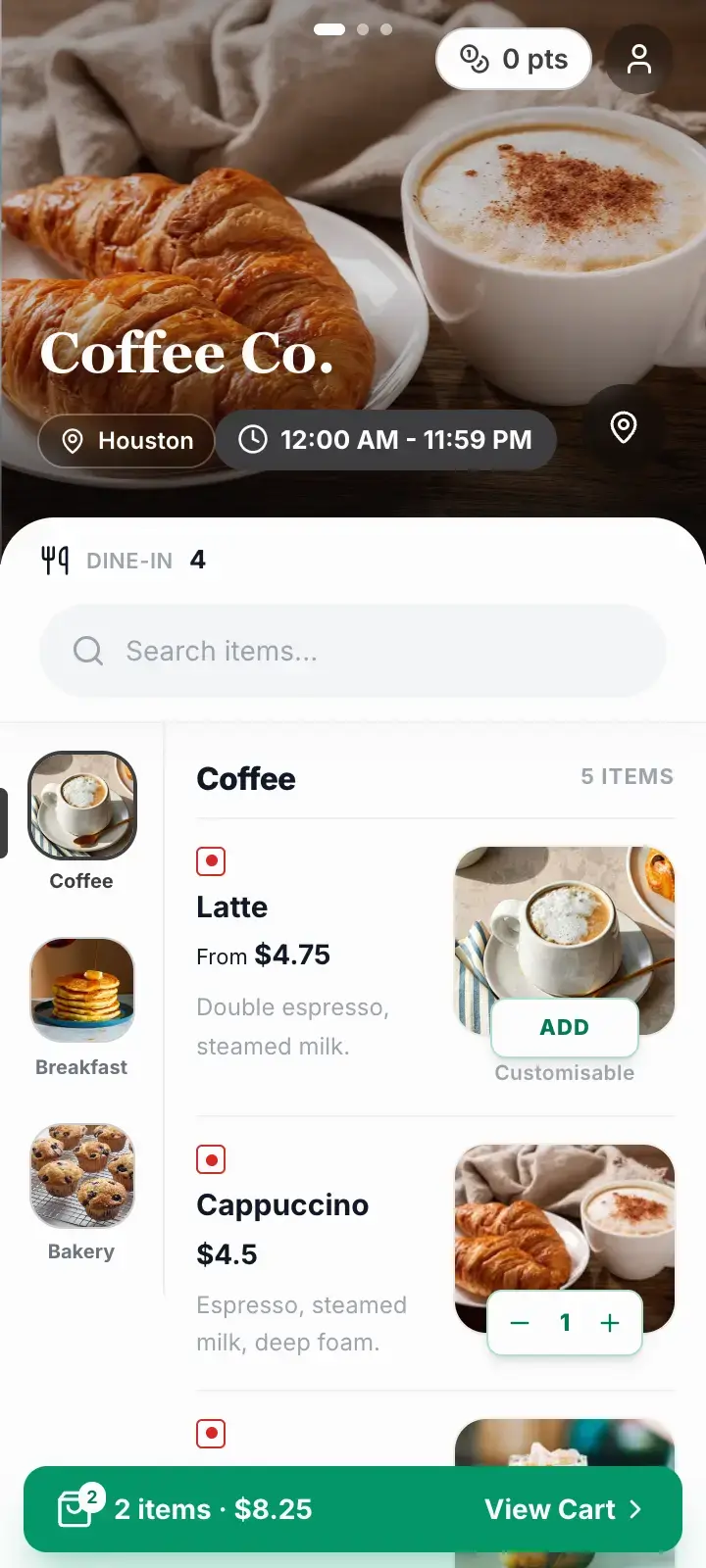
Pick: the cart bar keeps the running total in view.
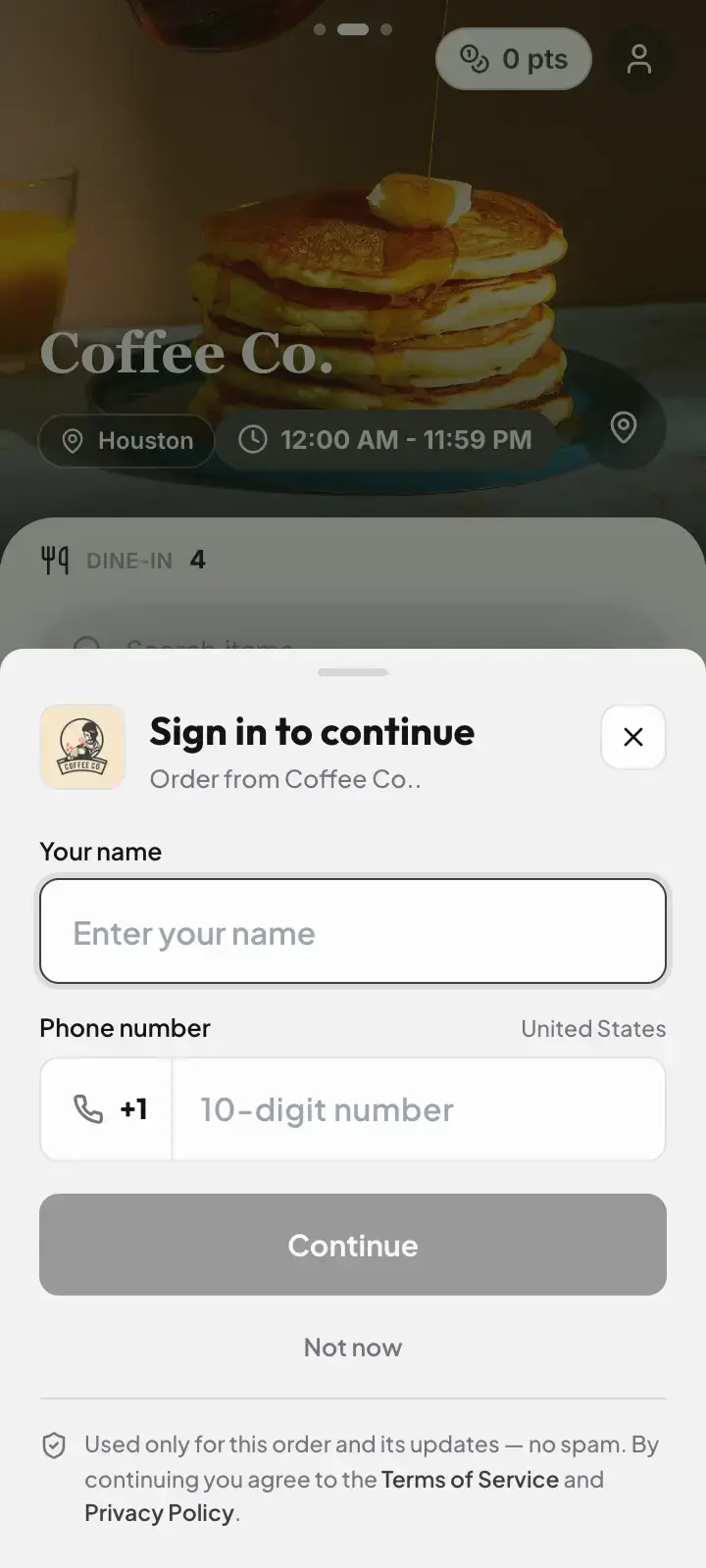
Name and phone: this is how a second round is matched to the same guest.
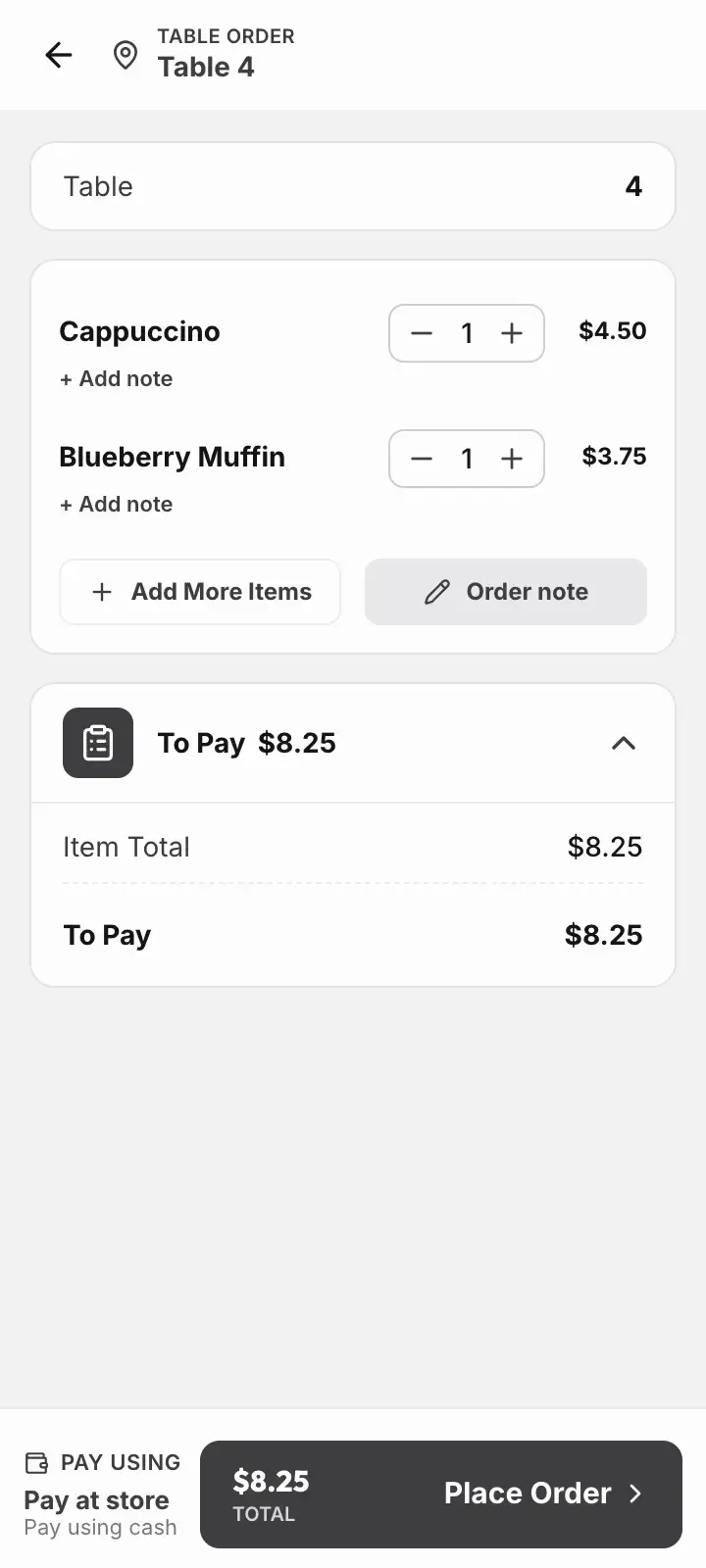
Order: the checkout names the table, so staff never ask where to bring it.

Screenshots from Menuthere's demo store, taken 2026-11-25.
Each table gets its own QR. You can download one as a PNG, or tick several tables and get one Excel sheet with all their codes. The free table QR card maker turns a link into a card to print, and the QR code size calculator tells you how big to print it for the distance guests scan from.
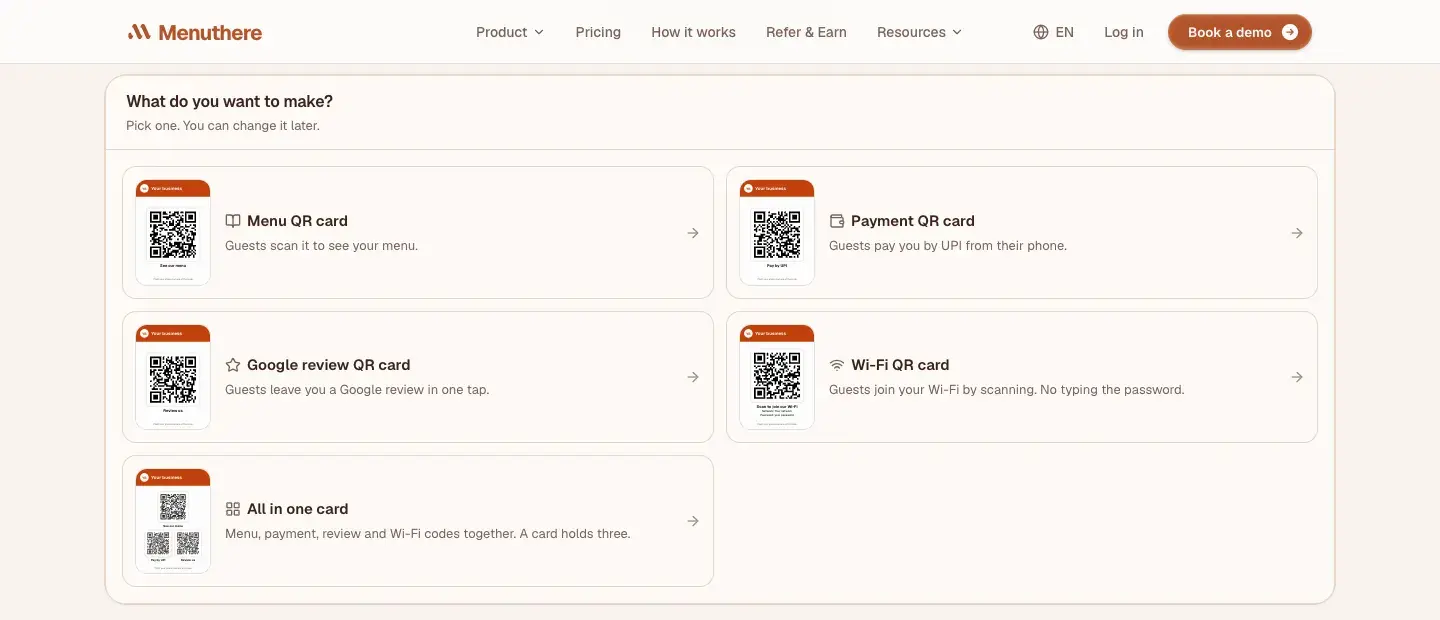
The free table QR card maker. It makes the printed card; table ordering itself is set up in your dashboard.
Want some tables to show the menu without ordering, for example the bar or a fine-dining room? Tick View only on that table. Guests can browse but not order.
The digital menu booklet
For tables where you would rather a waiter takes the order, Menuthere also has a view-only menu that turns like a book, at your store link plus /menu. It is on every plan.
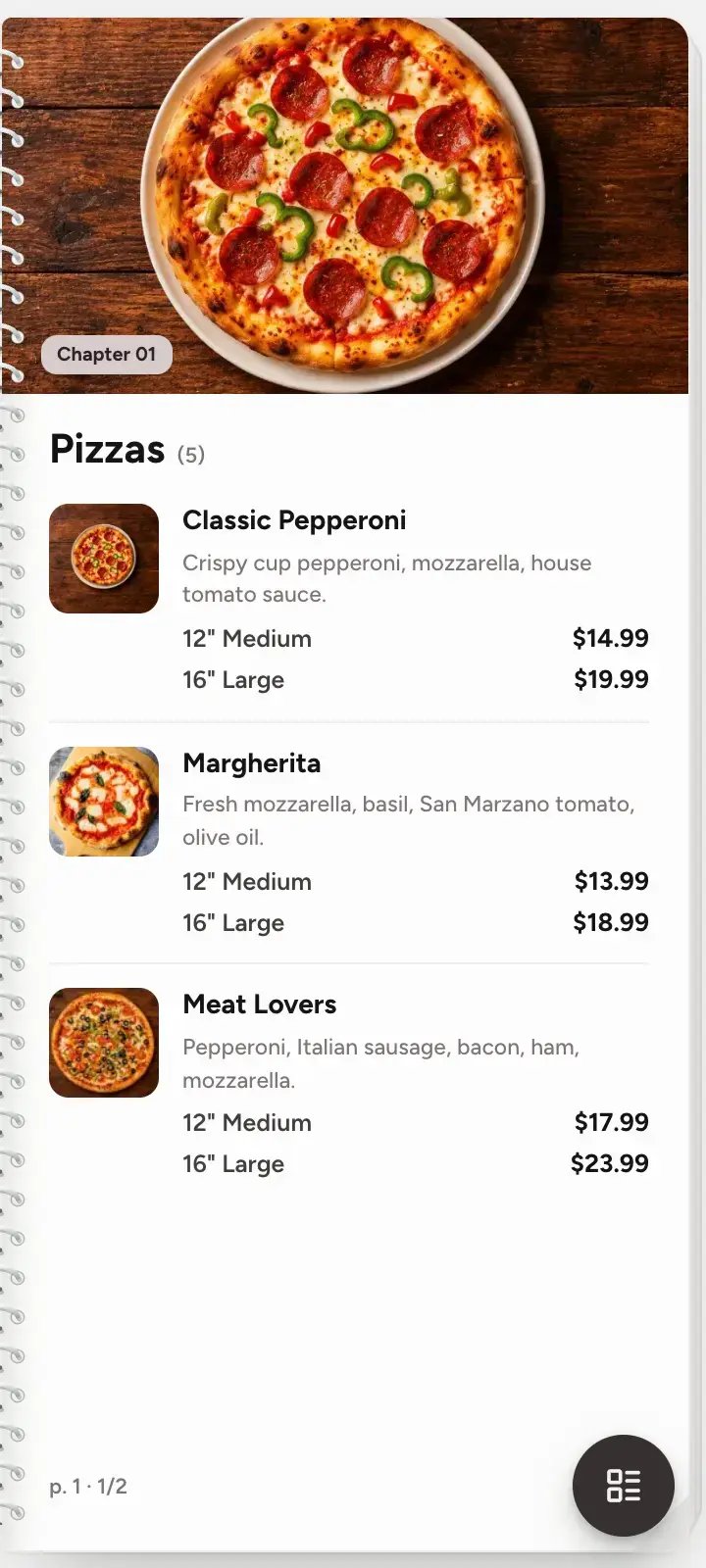
A page of the booklet: dishes and prices, no ordering.
Screenshot from Menuthere's demo pizza store, taken 2026-11-25.
Worked example: one table, two rounds
Example only. The numbers are made up, except the service-charge sum, which follows Menuthere's own docs.
A table of four orders mains and drinks at 7:10 pm: £64.00 of food after discounts. At 8:05 pm the same guest orders dessert and coffee from the same phone: £16.00.
The first order is Accepted, unpaid and had activity less than 4 hours ago, so round two joins it. You have one order with £80.00 of food. The order jumps back to the top of Live orders with Edited by customer, and when you reprint the kitchen ticket the dessert lines read (ADDED) under "* Customer added items *". The ticket has no prices; the bill does.
Service charge at 12.5% on dine-in: round one carried £64.00 × 12.5% = £8.00 and round two £16.00 × 12.5% = £2.00. On the joined order the two lines add up to one Service charge (optional) 12.5% line of £10.00, the same as 12.5% of £80.00. Each guest could remove it at their own checkout. (The docs' own example is £40.00 × 12.5% = £5.00.) In the UK no tax is added to it; in the UAE, Saudi Arabia, Bahrain and Oman your tax is added on top by default. The guest may also pick a tip. Tips are never taxed.
With Ask payment after order complete on, the bill reads Payment due during the meal. When staff mark the order Completed, the guest has 1 hour to press Pay now. Commission to Menuthere: £0. The card fee is your own gateway's.
The same table on a system that charges each round on its own: two card payments, two tickets the kitchen must match by hand, and two receipts the guest must add up.
- Round two only joins if it is the same guest on the same table QR.
- A friend's phone at the same table makes a separate order.
- A round paid online, paid by a manual method, redeeming loyalty points or booked for a later time is placed as a separate order.
- An order that is already paid is never reopened.
Why keep a waiter path too: in the National Restaurant Association's 2024 technology report, among people who ate at a sit-down restaurant in the past 6 months, 59% would open a menu by QR code but only 48% would place an order by QR code and 46% would pay by it. For QR ordering, 69% of millennials said yes against 21% of baby boomers. Plan for both kinds of guest.
How to set it up in Menuthere
Labels are exactly as they appear in the dashboard.
01
Add your tables
Go to Sales channel → Table ordering, press Add tables and enter the Number of tables, a Name prefix and the number to Start at. Download one table's QR as a PNG, or tick several and press Download QR codes for one Excel sheet. Read set up QR table ordering.
02
Set your map pin, then switch on the geo-lock
Check your pin under Settings → Store details → Address. Then open Settings → Ordering → Checkout settings, switch on Geo-lock table orders and pick an Allowed distance. 200 m is the default. See stop orders from outside the restaurant.
03
Let guests pay after the meal
Connect your payment gateway. In Settings → Payments & tax, under Payment options by order type, turn on Online for Dine-in, then switch on Ask payment after order complete. See payment options for each order type.
04
Add a service charge and tips (optional)
In Settings → Payments & tax, open Tips & service charge. Switch on Add a service charge, enter the rate and check Add it to (Dine-in is picked at first). Switch on Let customers add a tip and choose Offer tips on. See tips and service charge.
05
Print kitchen tickets automatically
Open Settings → Printing → Auto accept and print and switch on Print automatically. Choose Bill + KOT, then print the KOT when the order becomes Accepted and the bill when it becomes Completed. Keep the dashboard open on the device the printer is connected to, with pop-ups allowed. See kitchen tickets (KOT).
06
Run the Second-Round Test on your own tables
Before the first service, run the six checks above with two staff phones. Then watch Sales channel → Table ordering during service: tables show Occupied and free themselves. See which tables are occupied.
Honest limits: what Menuthere does not do
Better you read it here than find it on a Friday night.
Menuthere suits cafes, casual dining, family restaurants, bars and food courts where guests are happy to order from their phone. If your room is fine dining with full table service, use view-only tables or the booklet for the menu, and let staff take orders.
Decision rule. Pick Menuthere if your tables often order more than once and you want one bill per table without changing your till. Pick a different kind of tool if guests must split one bill on their own phones, or if your whole room is served by waiters on a POS you already like.
- No split bill on the guest's phone. Guests cannot split one order between them. Friends who want separate bills each order from their own phone, which makes separate orders.
- Nothing is held up front for pay-after. If a guest leaves without paying, staff collect at the counter and mark the order paid.
- The geo-lock is a location check, not a wall. It uses the browser's location and allows the phone's own error up to 150 m. It covers table QR orders only.
- Kitchen tickets don't reprint by themselves for a second round. Reprint the ticket; it lists every line and marks the new ones.
- Auto-print needs the dashboard open on the device the printer is connected to.
- Tips and service charge are not available in India or for Petpooja-connected stores, and only in the standard checkout.
- Second rounds are not merged while a connected Square, Epos Now or Foodics till has Send orders switched on. Each round then goes in as its own order, so the till gets every round.
- Occupancy counts only customers' table QR orders. POS orders and table reservations don't mark a table.
- The waiter tools are add-ons. The Captain app for waiters is sold on request, and using the Menuthere POS app with your store needs the POS add-on. Neither is part of a plan.
Answered, plainly.
Sources (2) · checked 2026-11-25
- 2024 Restaurant Technology Landscape Report · National Restaurant Association, 2026-11-25
- 2024 Technology Landscape Report (PDF), page 6: tech options in full-service restaurants, by generation · National Restaurant Association, 2026-11-25
Run the Second-Round Test with us
Book a demo. We set up two tables with your own dishes, order a second round from a phone, and show you the bill, the kitchen ticket and the table list.
- 0% commission
- 14-day free trial
- No contract